
Squid Game: Unleashed
Squid Game: Unleashed is a fast-paced multiplayer party royale / battle royale–style mobile game based on the hit Netflix series Squid Game. Players compete in chaotic, last-player-standing matches made up of short, high-stakes mini-games that remix familiar challenges from the show with new twists. You can customize your character, play solo or with friends, and climb the ranks as you try to outlast everyone else.
Squid Game: Unleashed official season 3 trailer
Role
UI/UX Designer
Social Pod Size
5 UI/UX Designers (including me), 2 Game Designers, 8 Engineers, 1 Producer
Company
Netflix
Boss Fight Entertainment
Background
When I joined the project, Squid Game: Unleashed was already a massive success, ranking as the #1 free action game in 57 countries at its peak, with over 30 million installs. It was also the first title at Netflix Games that allowed players to play without a Netflix subscription. The launch was strategically scheduled to coincide with the highly anticipated second and third seasons of the show, positioning the game as a marketing extension intended to drive Netflix subscriptions.
The UI/UX team joined when developing for the third season of the series began, and was responsible for designing a new social system for the game. We worked with a team of outsourced engineers responsible for implementing half of the features we designed, which required managing and directing their work while addressing communication challenges.
Key Objectives
The key objectives center on driving engagement, growth, and ecosystem synergy within the Netflix platform. These include increasing player retention and daily active users through compelling gameplay loops, while funneling players toward watching Squid Game on Netflix. Another priority is encouraging guest users to convert into Netflix subscribers by using the game as an accessible entry point. All experiences are designed to maintain Netflix’s design standards and align with existing hierarchy and flows. In addition, a social system within the game is used to boost engagement, strengthen community, and create natural pathways that bring players back into the Netflix app.
Technical Constraints and Design Restrictions
There were several key issues to address. Due to restrictions within the Netflix SDK, the game could not support its own standalone friends UI or friend management flow, since accessing other players’ account data is limited. This constraint directly impacted how social features could be designed and surfaced. Additionally, when players first access Guilds and Parties, there is a large amount of information and onboarding content that needs to be clearly communicated without overwhelming them. Finally, the system required separate chat experiences to properly distinguish between different privacy groups—such as guild, party, and other social contexts—while still keeping communication clear and easy to navigate.
Design Process
For each new feature we tackled, several key questions needed to be addressed. This required close collaboration with Product, Engineering, Game Design, and stakeholders to define the purpose and direction of each feature.
Create A Crew (Guild)
What are the different scenarios a player can be in within the game, and how do those states impact the features they see when interacting with guilds? How does the experience differ for a player who is not in a guild, a regular guild member, or a guild leader?
Find A Player
After a user finds another player, how do they add them as a friend? How can they block or report that player? What relevant information does the user expect to see when viewing a player’s profile?
Parties
What does the user journey look like for a player who wants to join a party, start a party, or share a party invite? How does the experience differ for private versus public parties? And how are features like voice chat and muting handled along the way?
Chats
How should different types of chats be displayed? For example, general chats, party chats, and guild chats. What kind of information should be shared or visible in each chat type?
I designed The Crews System
In Squid Game: Unleashed, the crew system lets players form or join persistent groups of up to 32 people to play together and earn rewards. Crews provide a dedicated text chat and let members complete objectives and contests to earn crew reputation points that contribute to the crew’s weekly score. At the end of each week, the highest‑scoring crews receive exclusive cosmetic rewards. A player’s personal crew reputation resets if they leave and join a different crew.
Objective
To increase player engagement, retention, and social interaction. Crews give players a sense of community and belonging, encouraging collaboration on group objectives, competitions, or events. This fosters long-term play, as players return regularly to contribute to their Crew’s progress and earn exclusive rewards.
Design Process
This was a complex and time-intensive feature to design. I presented my designs multiple times to executives and leadership, navigating input from numerous stakeholders. The feature also had many requirements and design constraints due to the existing UI and UX of the game.
I collaborated closely with the game designers, providing feedback on their specifications and working together to create a wireframe that met everyone’s requirements.
In the short time frame allowed, we were able to narrow down an MVP of the entire Crews System. It would consist of a Crews Leaderboard, Creating a Crew, Joining a Crew, Open and Exclusive Crews, Promoting/Demoting within a Crew, and various edge cases.
NOTE: Stakeholders requested visuals beyond basic grey box wireframes. I reused assets that were already in game.
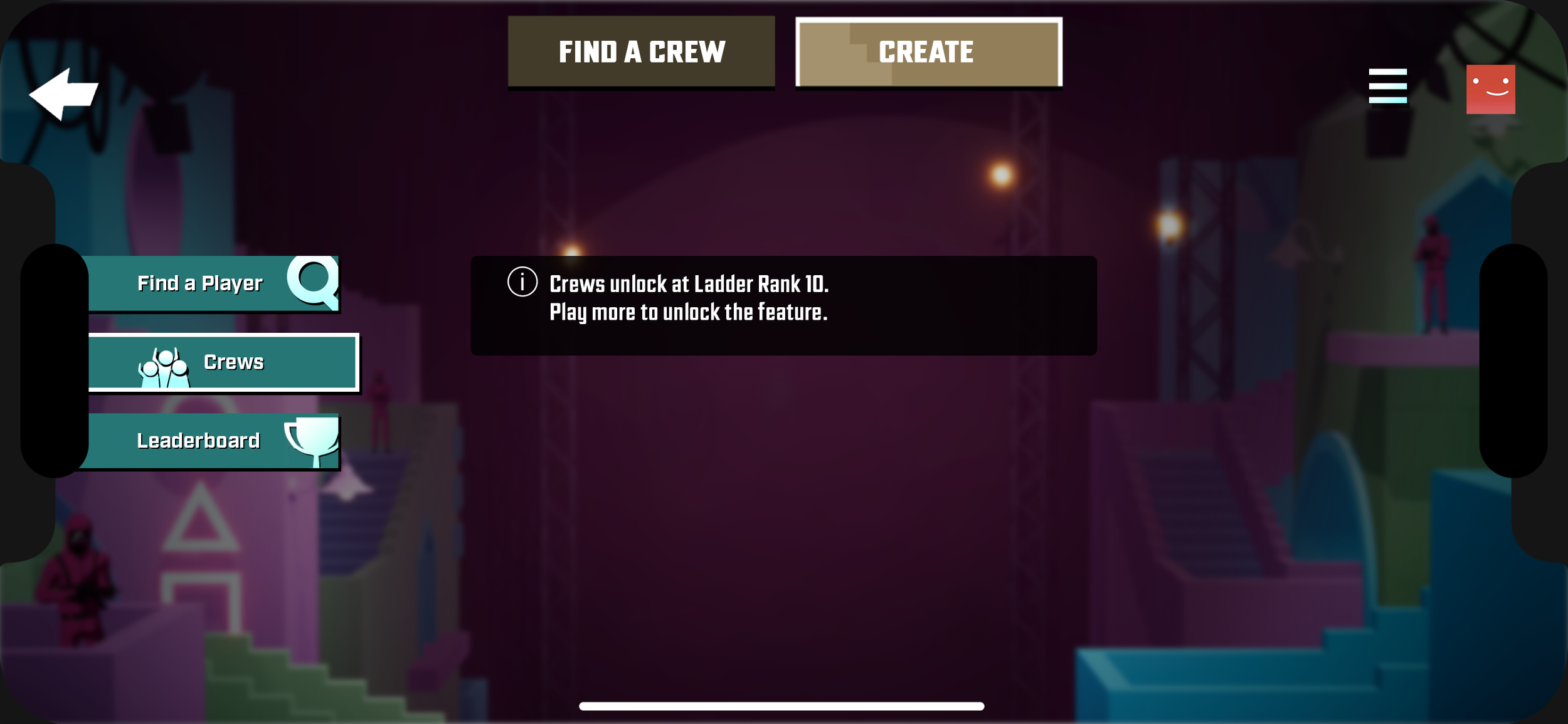
Player Has Not Unlocked Crews
Average Member is a Crew Member
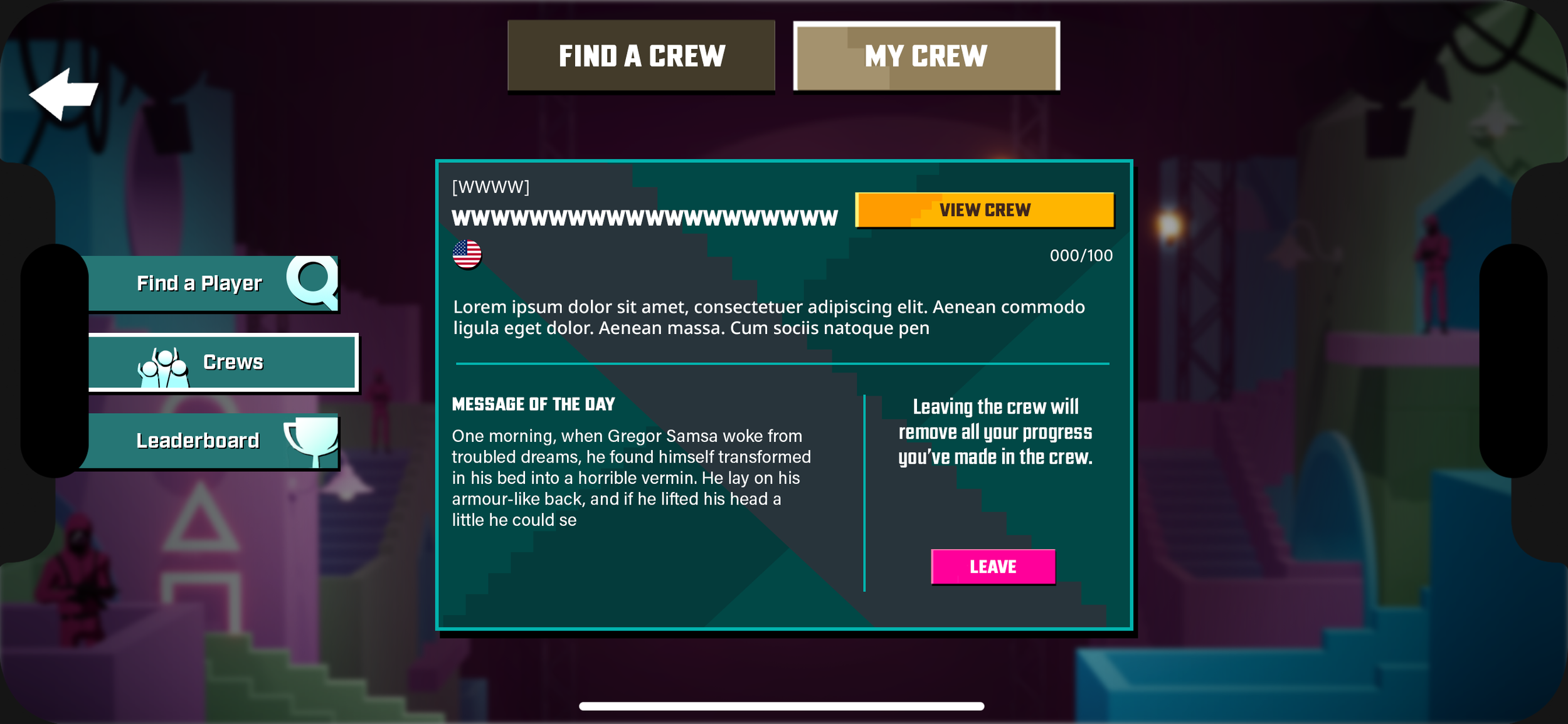
Average Player is a Crew Member - Crew Overview
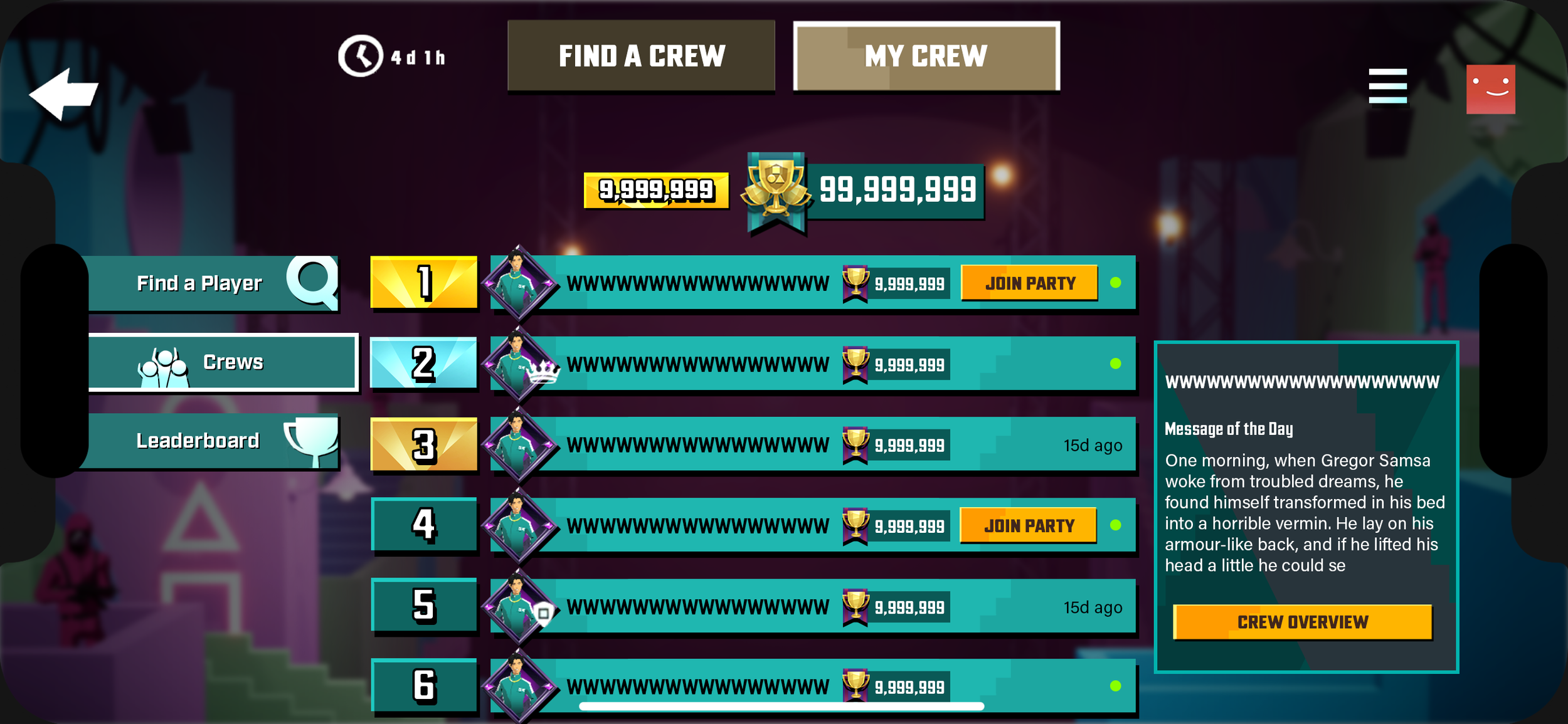
Average Player is a Crew Member - Crew Roster

Average Player is a Crew Member - Viewing a Crew Member
Average Player Joins a Crew
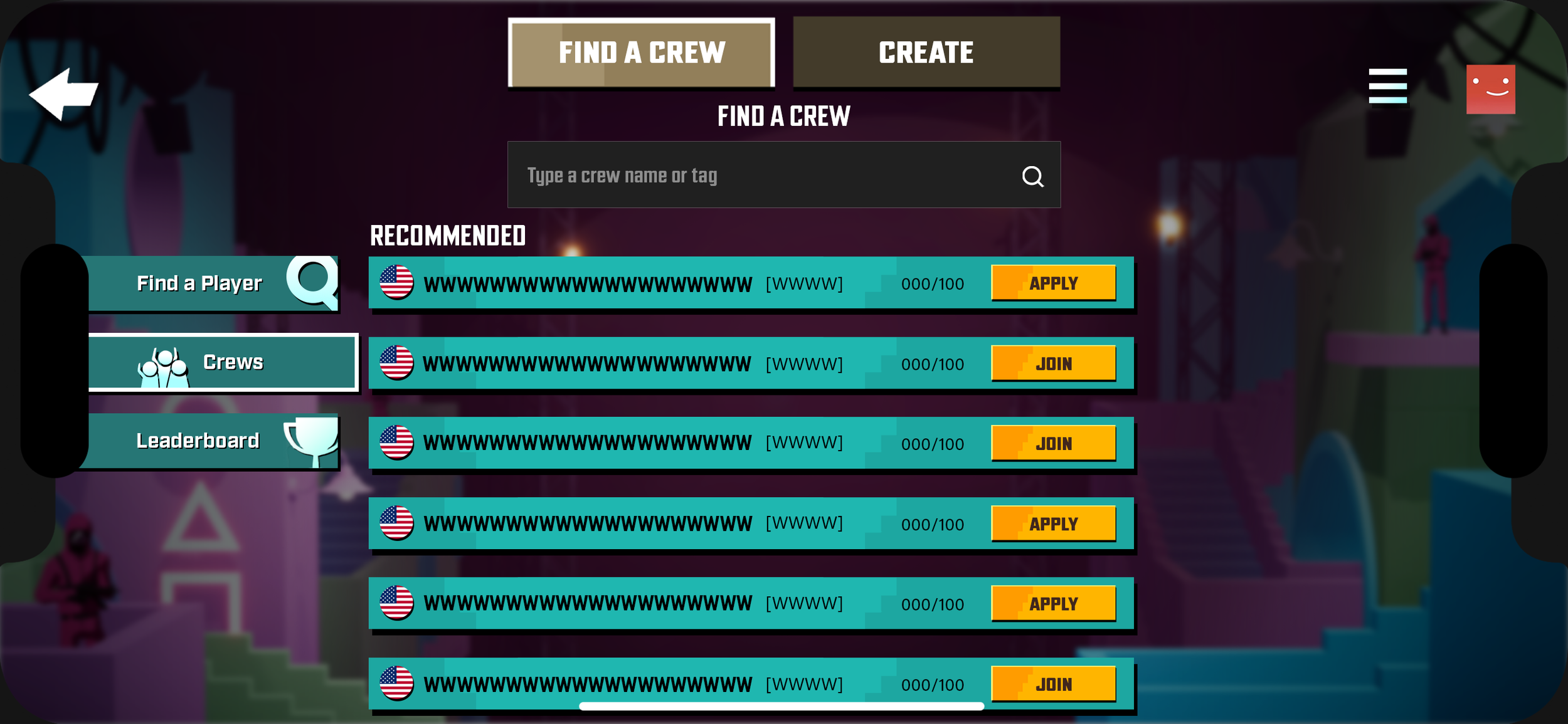
Average Player Joins a Crew - Crews Default

Average Player Joins a Crew - Viewing an Exclusive Crew
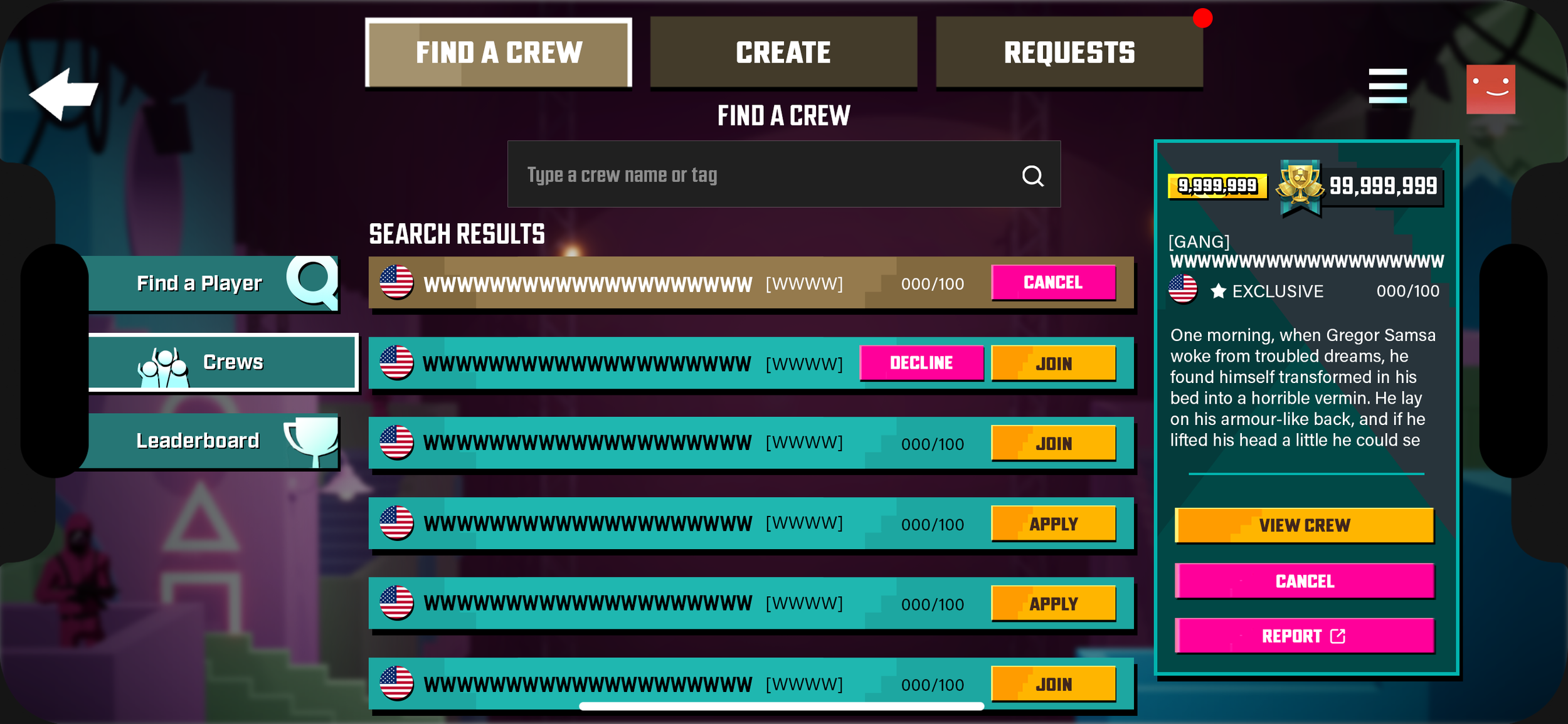
Average Player Joins a Crew - Join Exclusive Crew
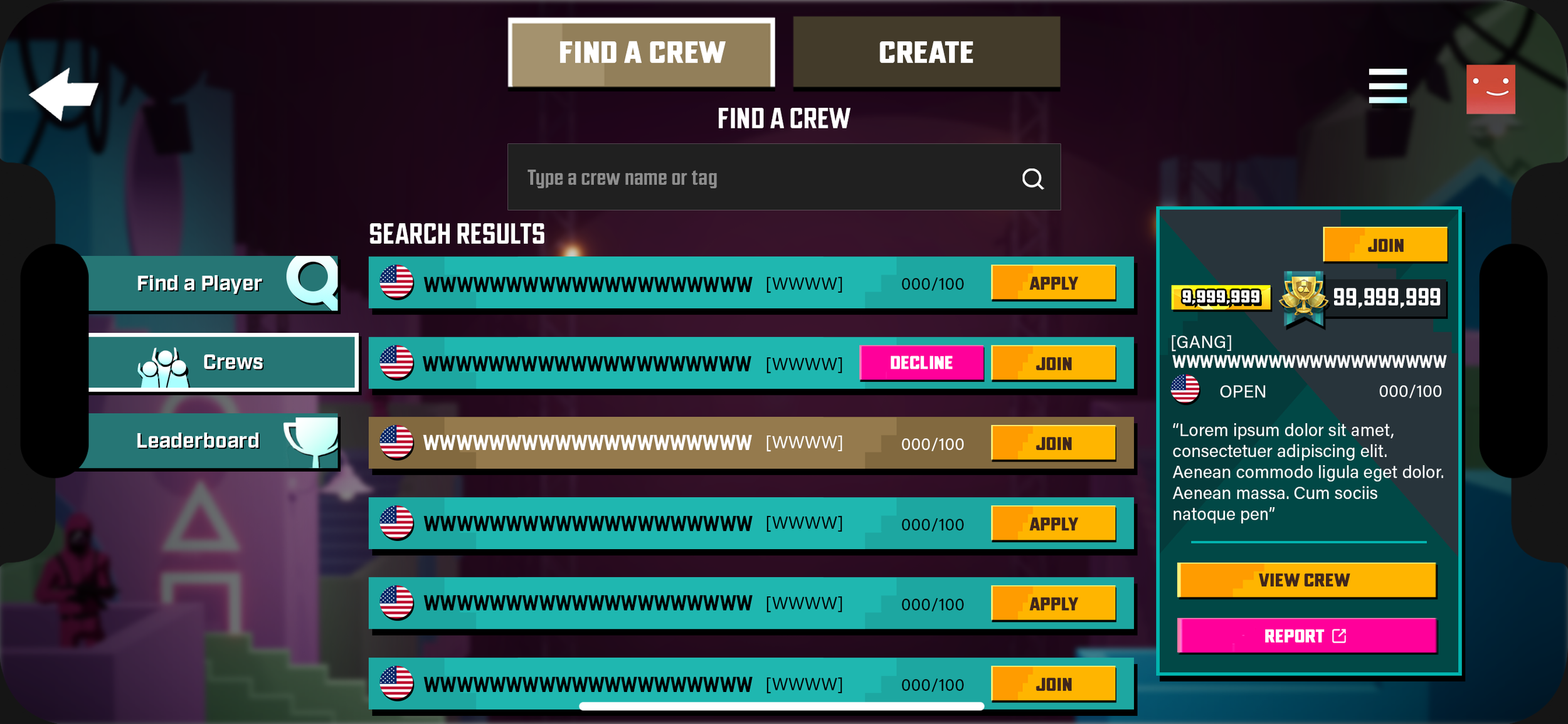
Average Player Joins a Crew - Viewing Open Crew
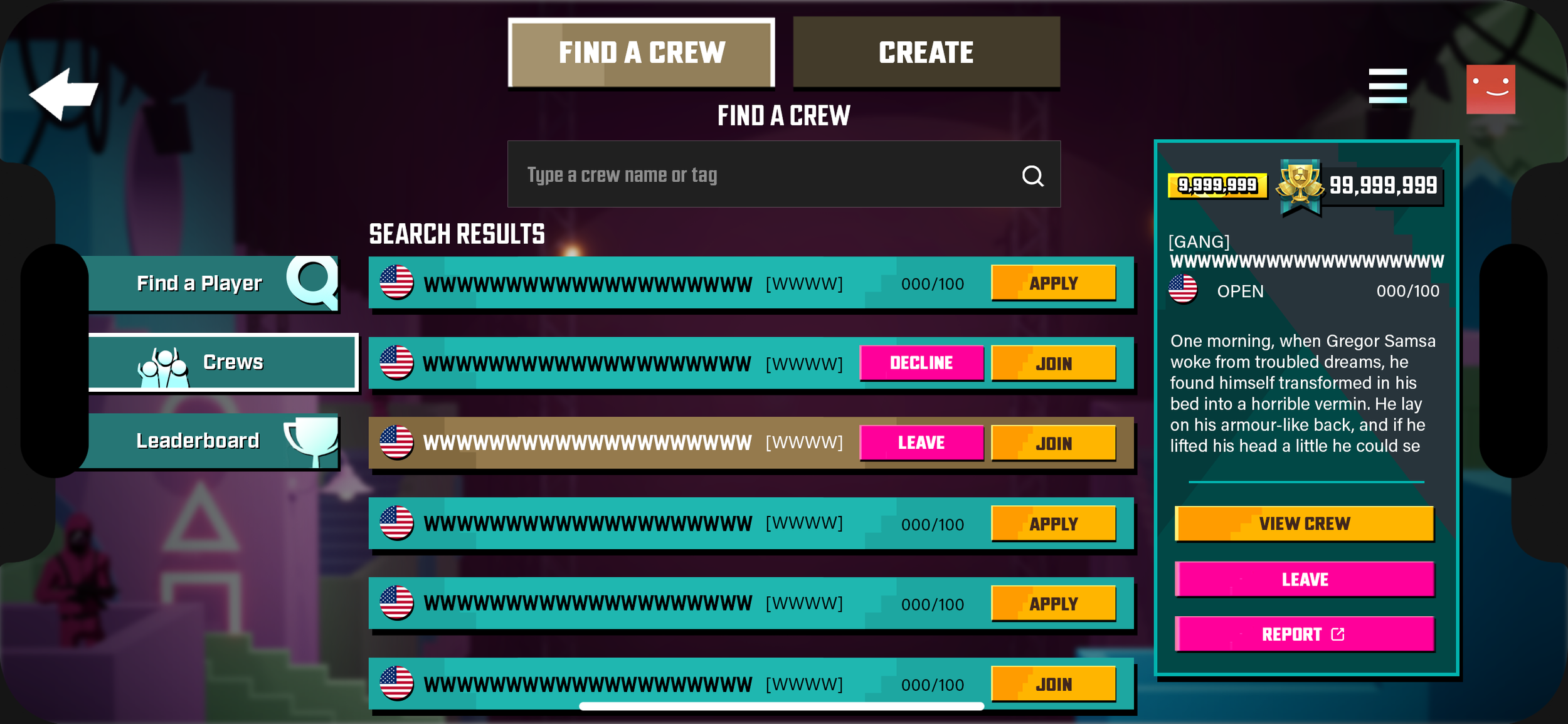
Average Player Joins a Crew - Joining Open Crew
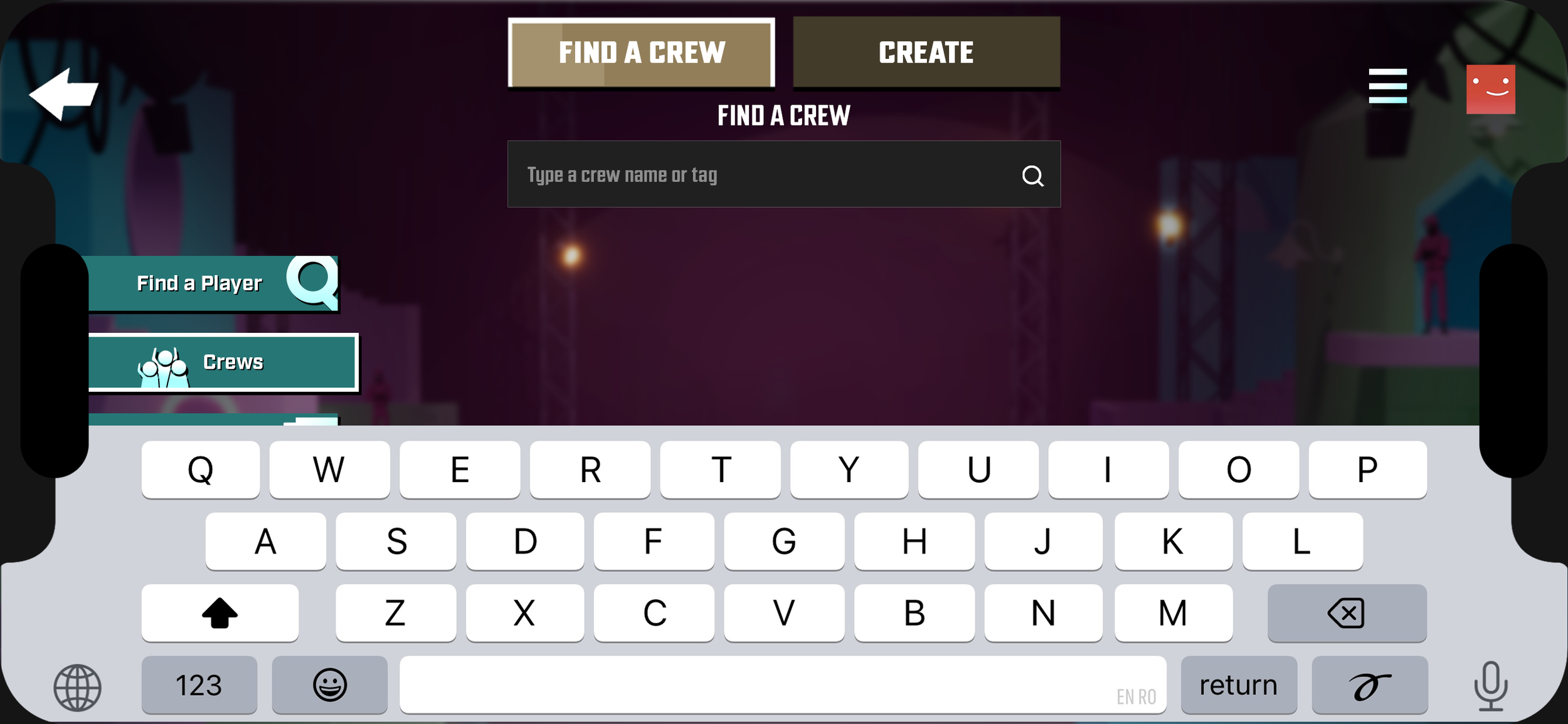
Average Player Joins a Crew - Crew Search
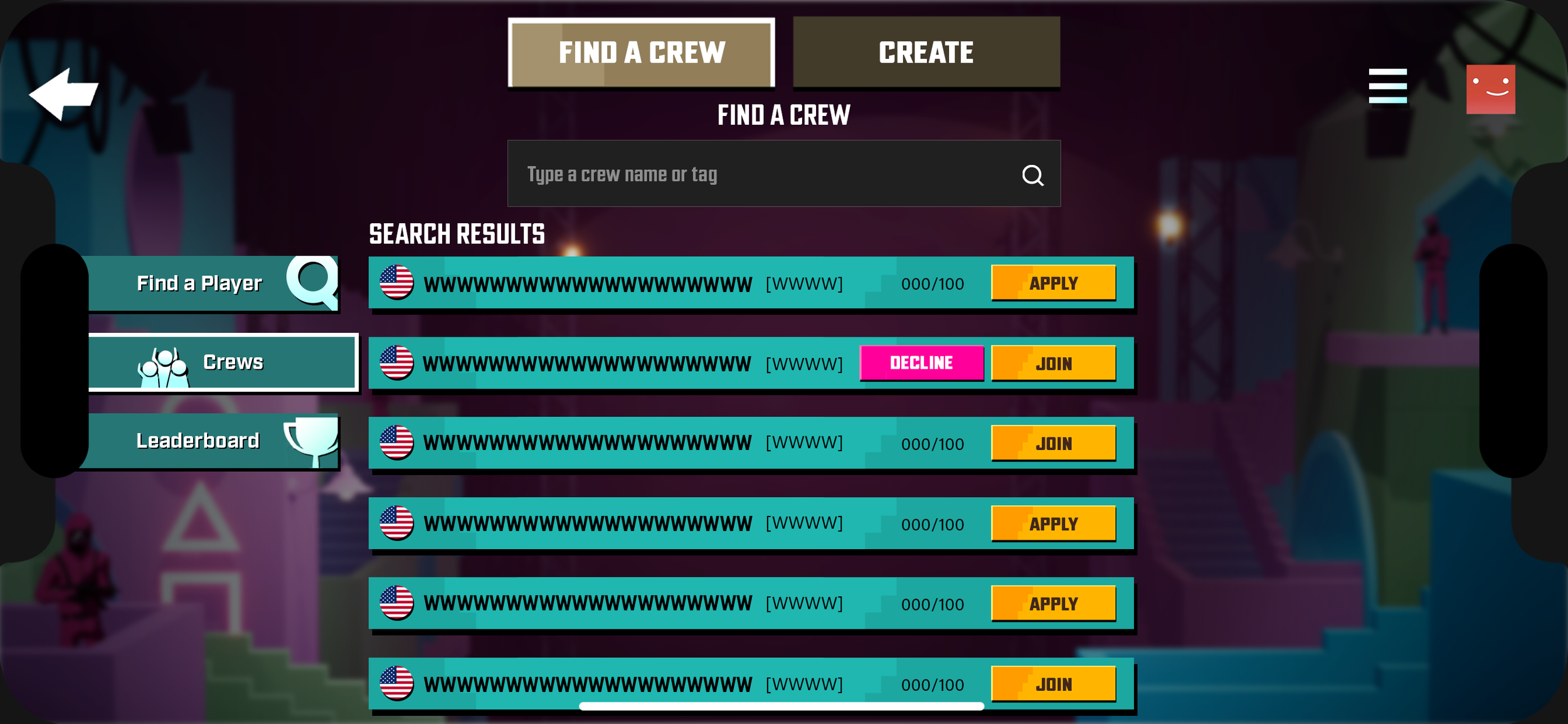
Average Player Joins a Crew - Search Results
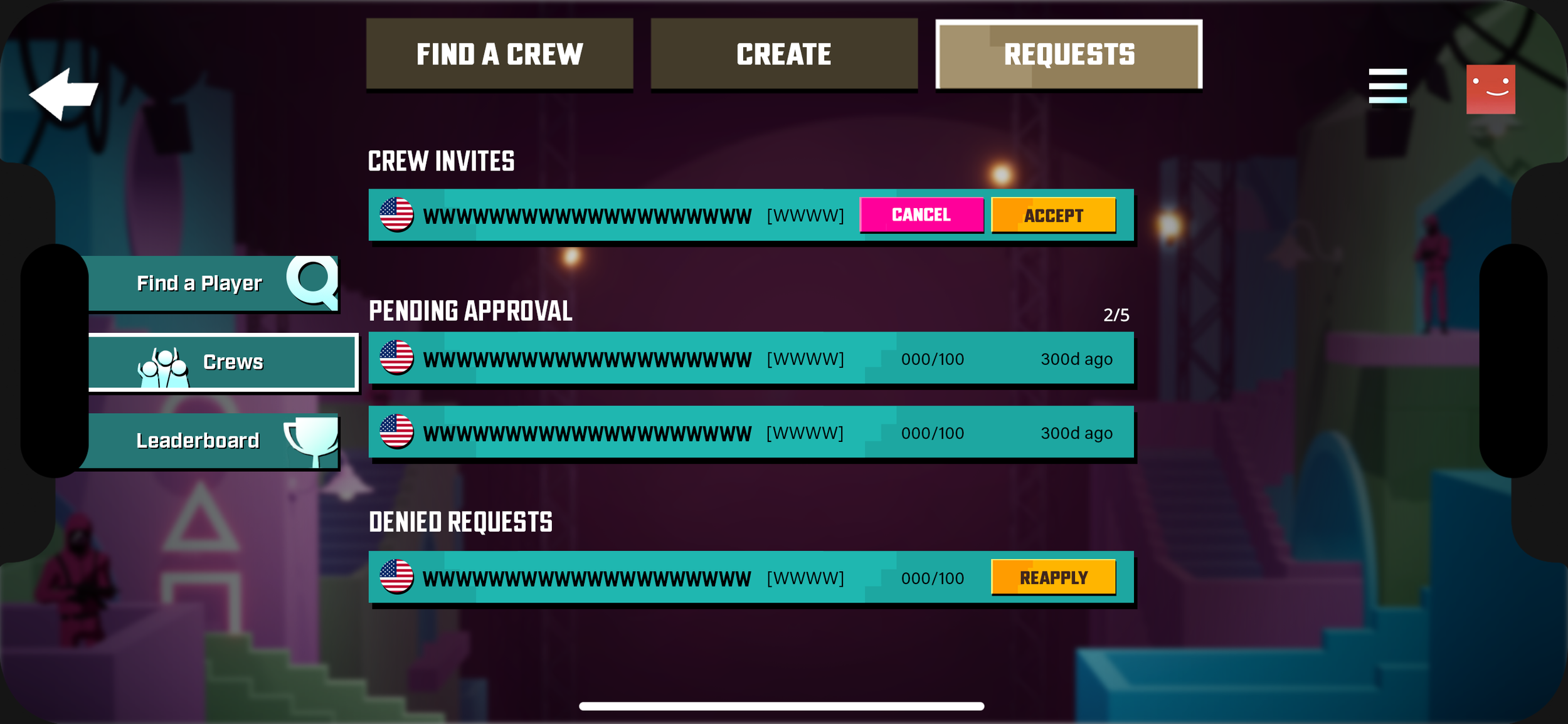
Average Player Joins a Crew - Requests
Average Player Waiting for Approval

Average Player Waiting for Approval - No Applications
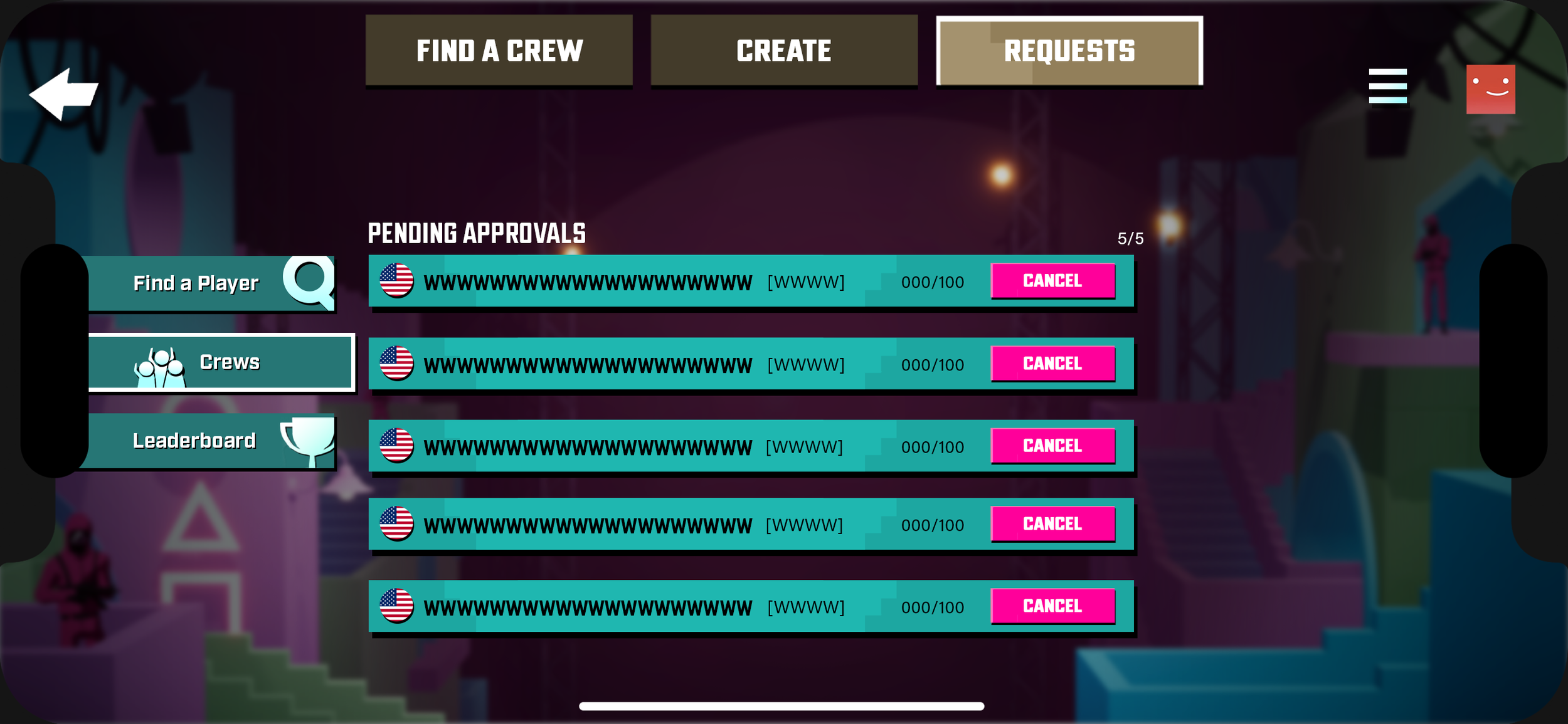
Average Player Waiting for Approval - Pending Approvals

Average Player Waiting for Approval - Viewing Crew Details
Player Creates a Crew
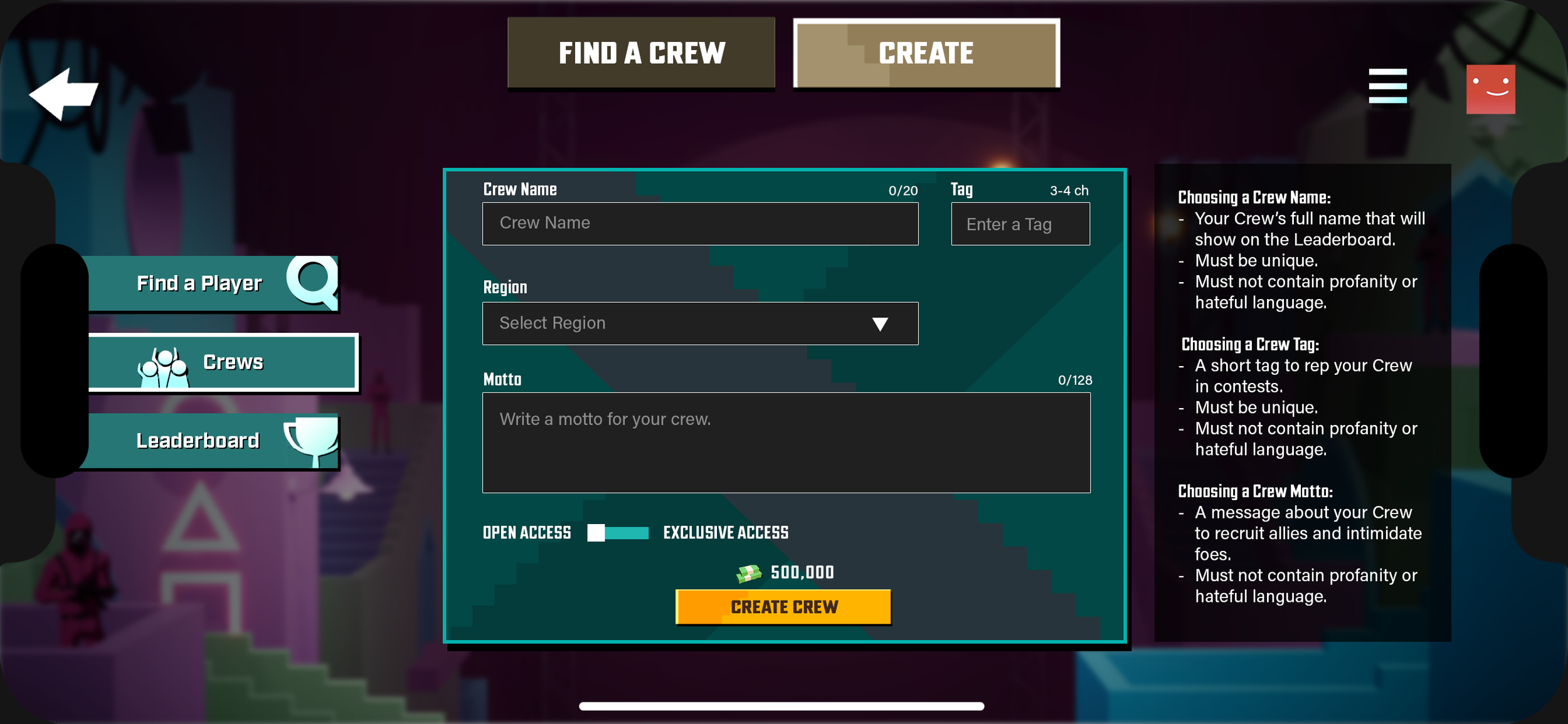
Player Creates a Crew - Empty State
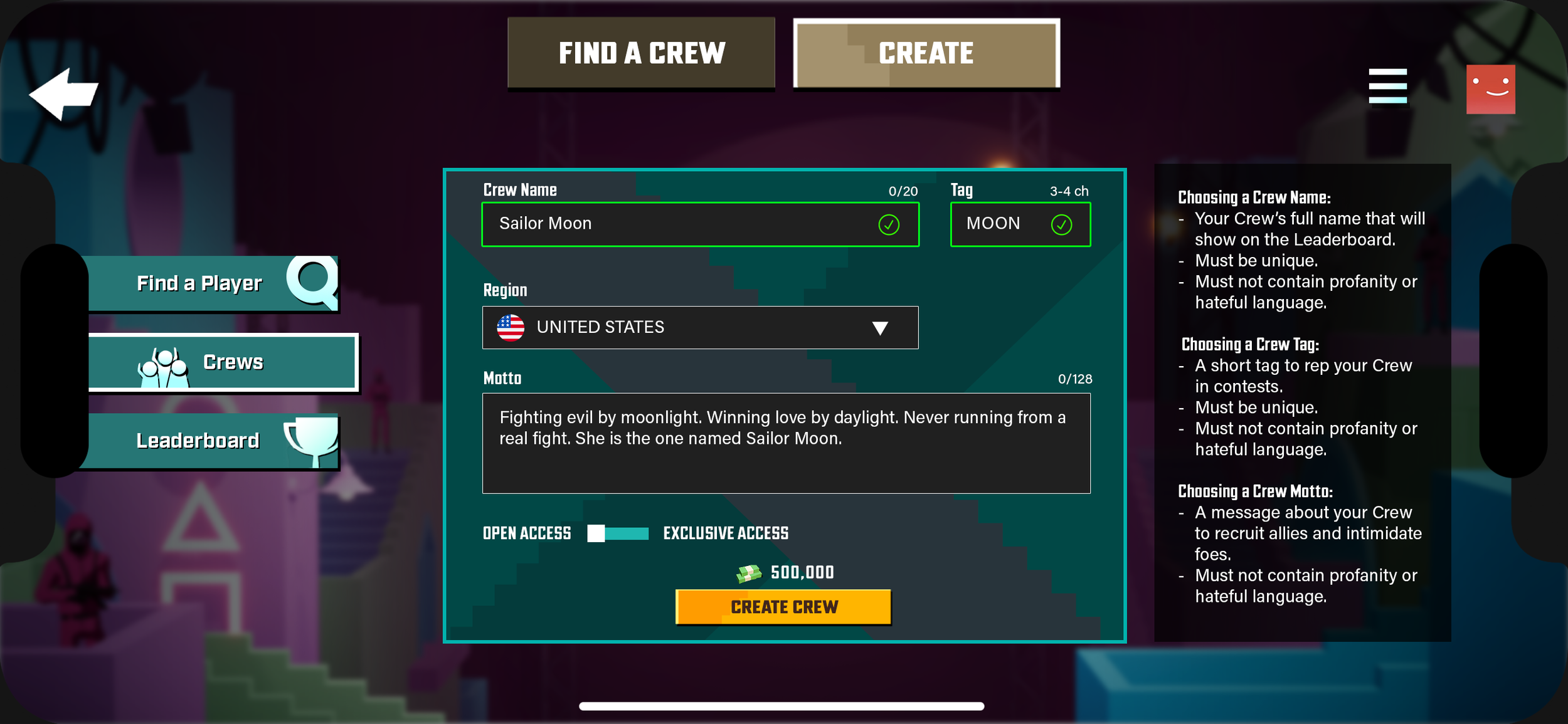
Player Creates a Crew - Filled in
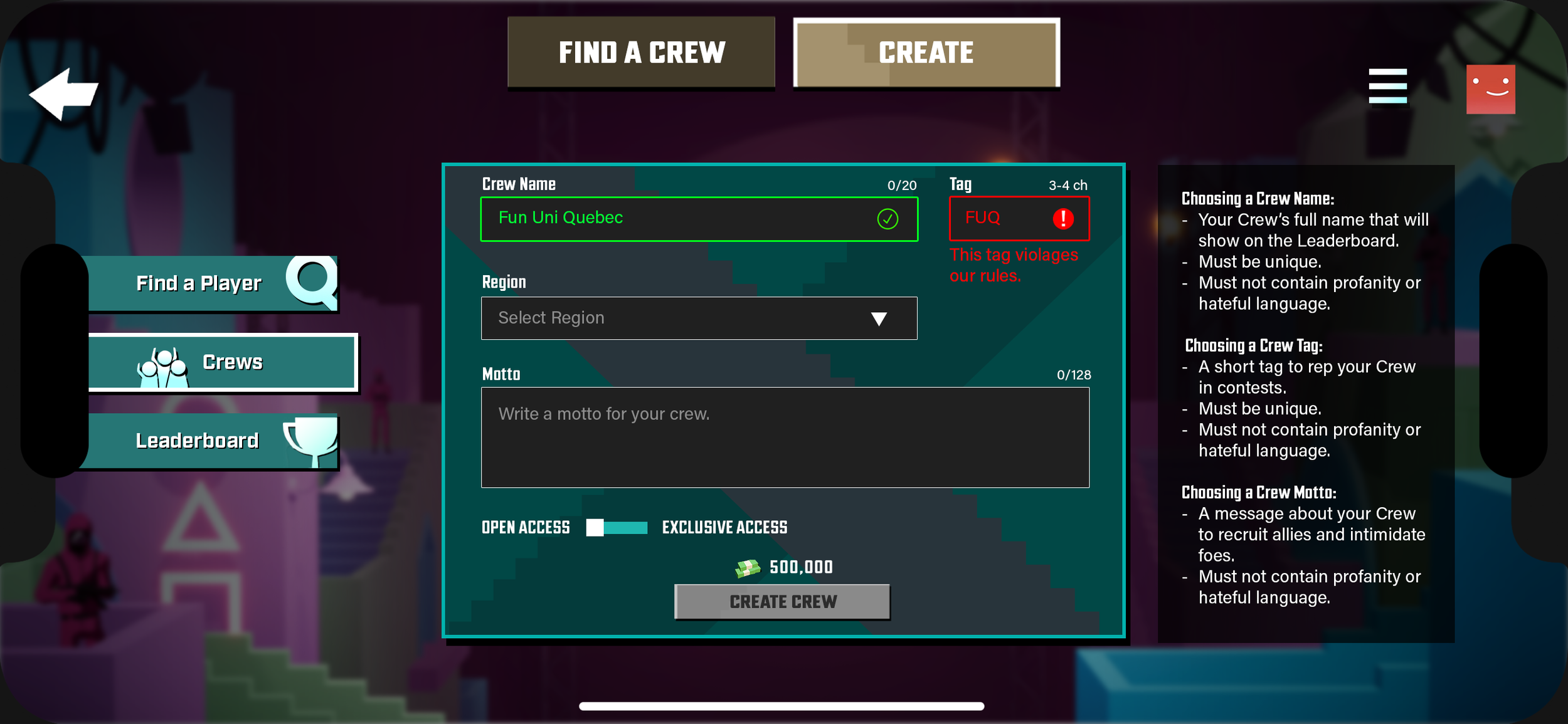
Player Creates a Crew - Inappropriate Tag
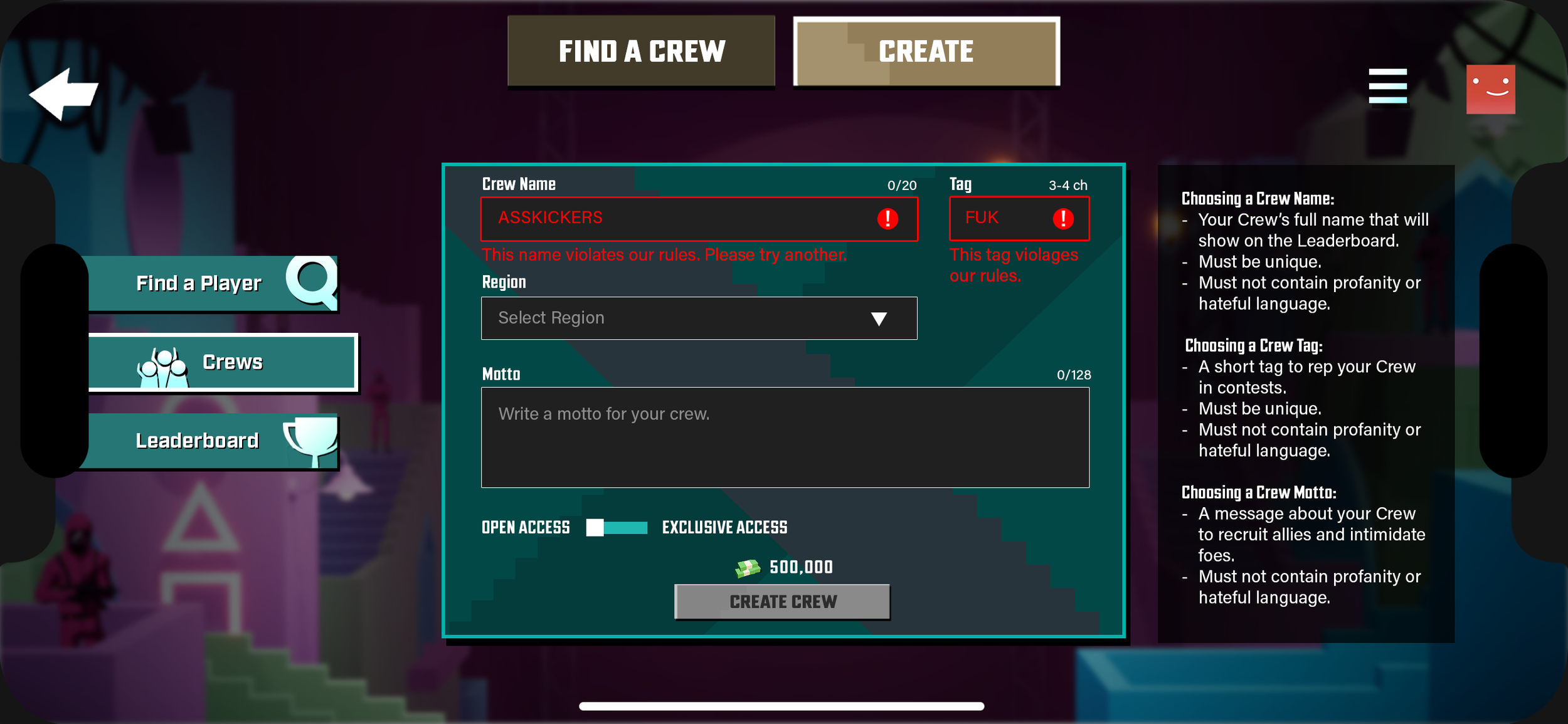
Player Creates a Crew - Inappropriate Name and Tag
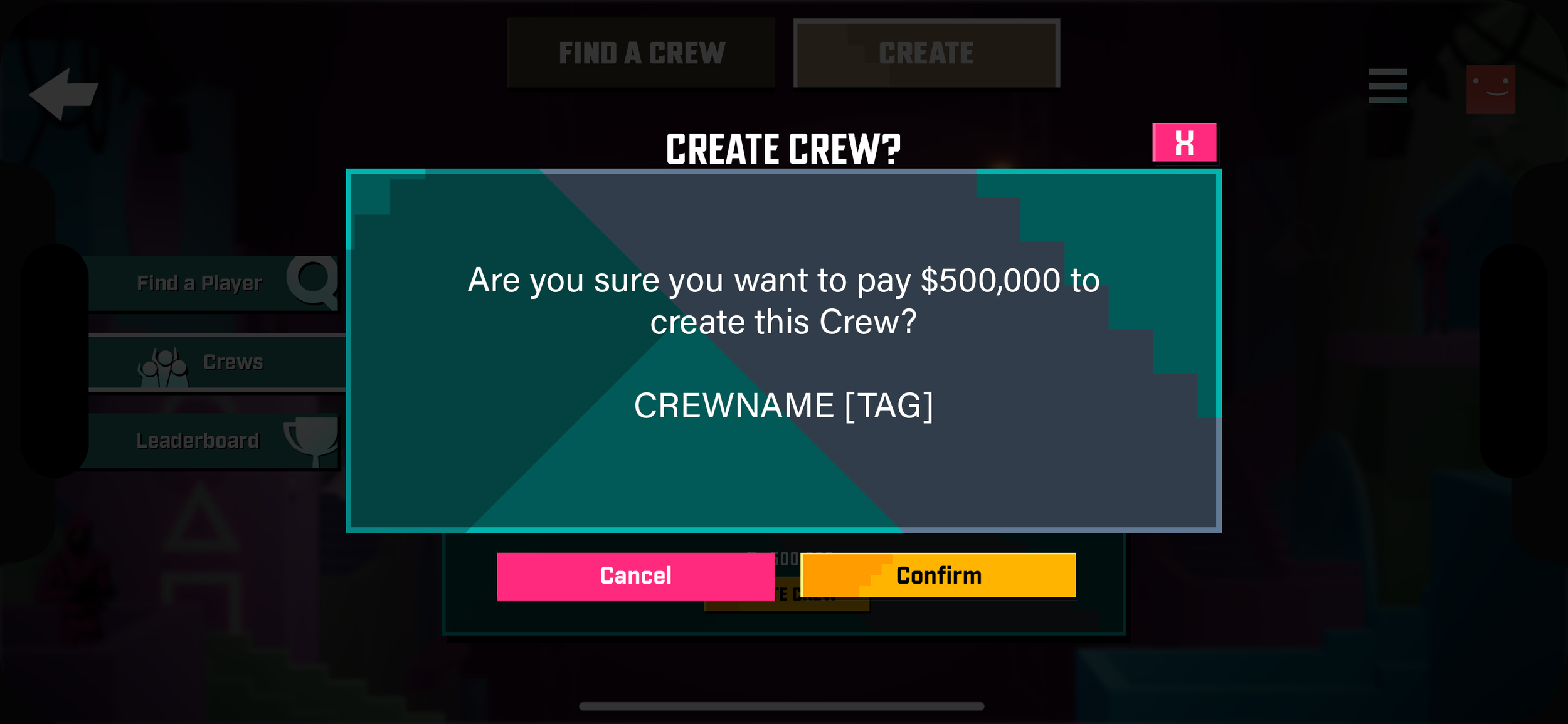
Player Creates a Crew - Confirmation
Player Creates a Crew
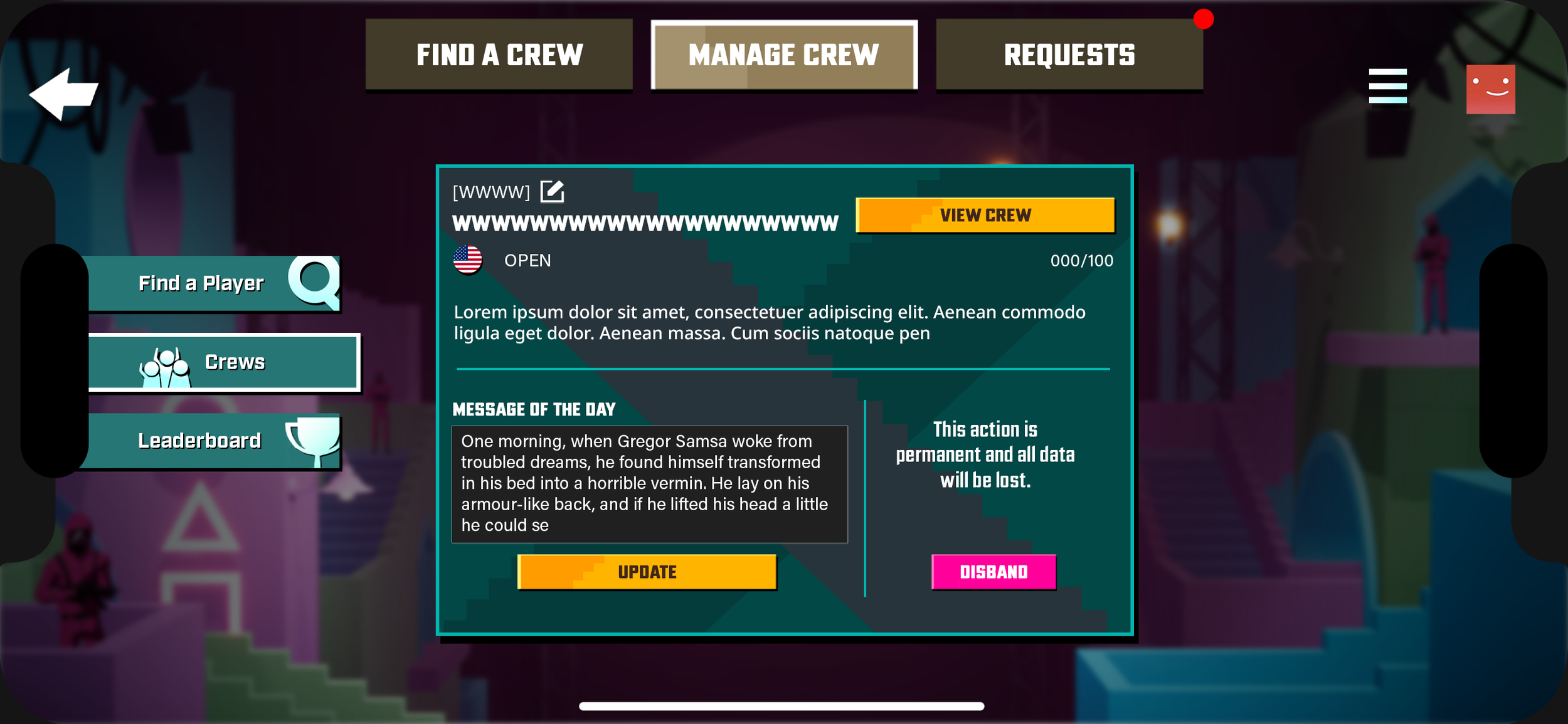
Player is Crew Leader - Admin Manage
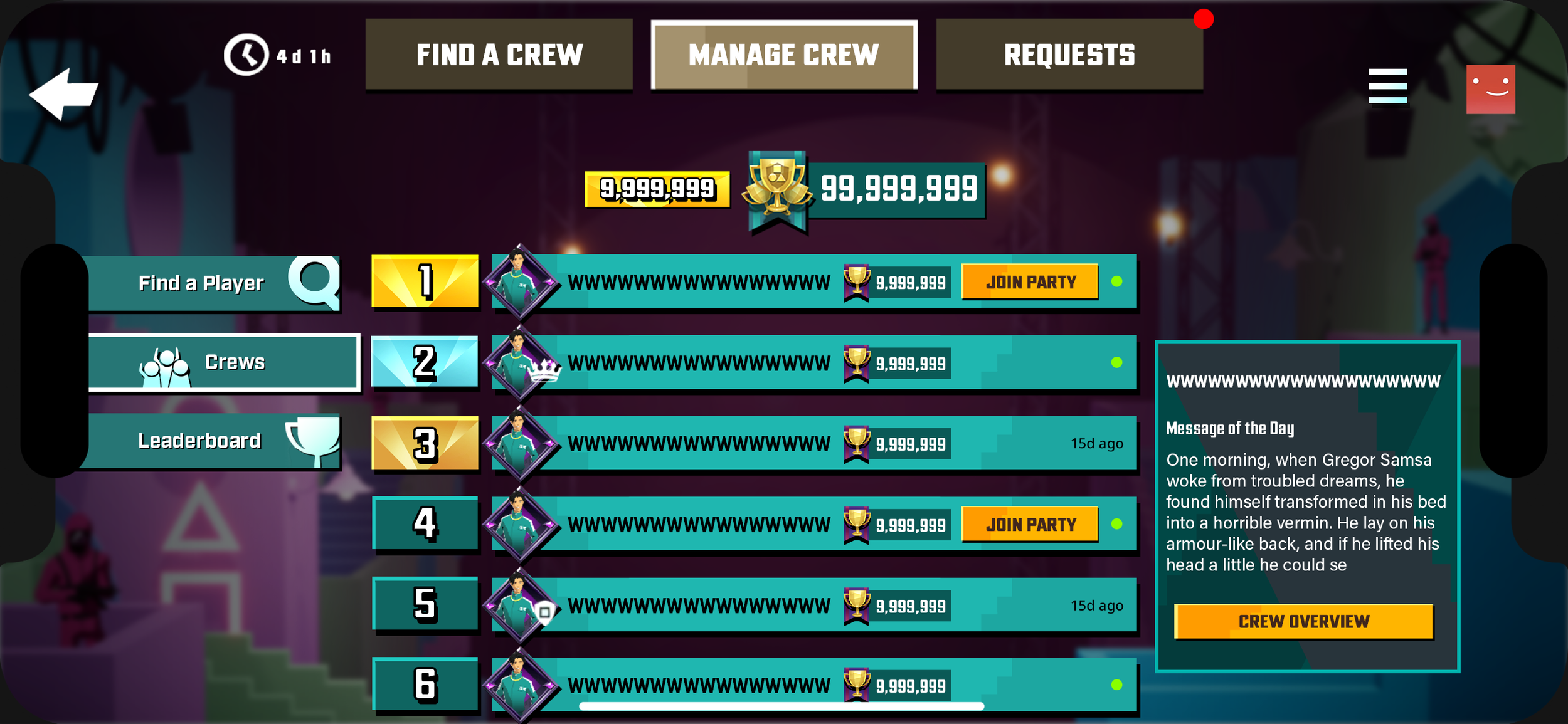
Player is Crew Leader - Crew Roster
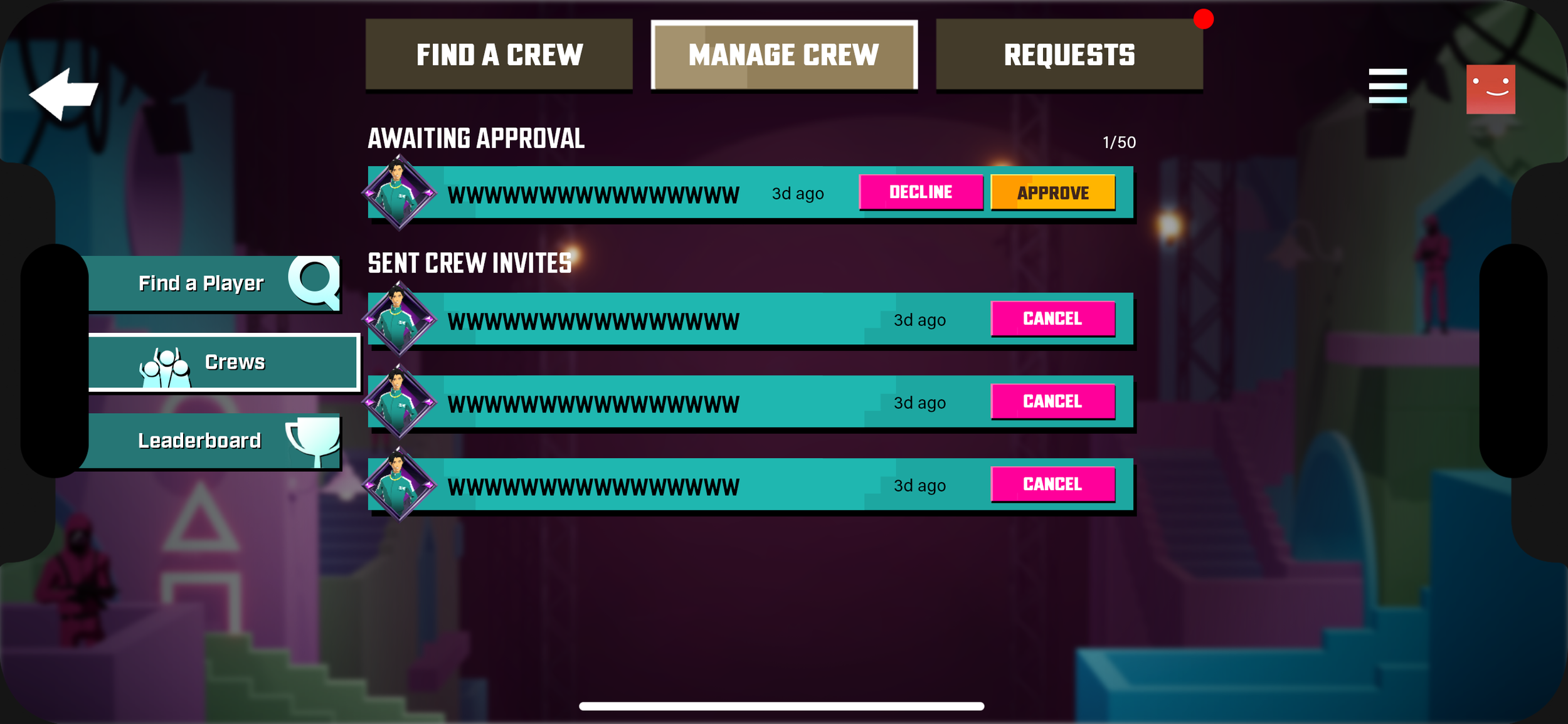
Player is Crew Leader - Pending Approvals
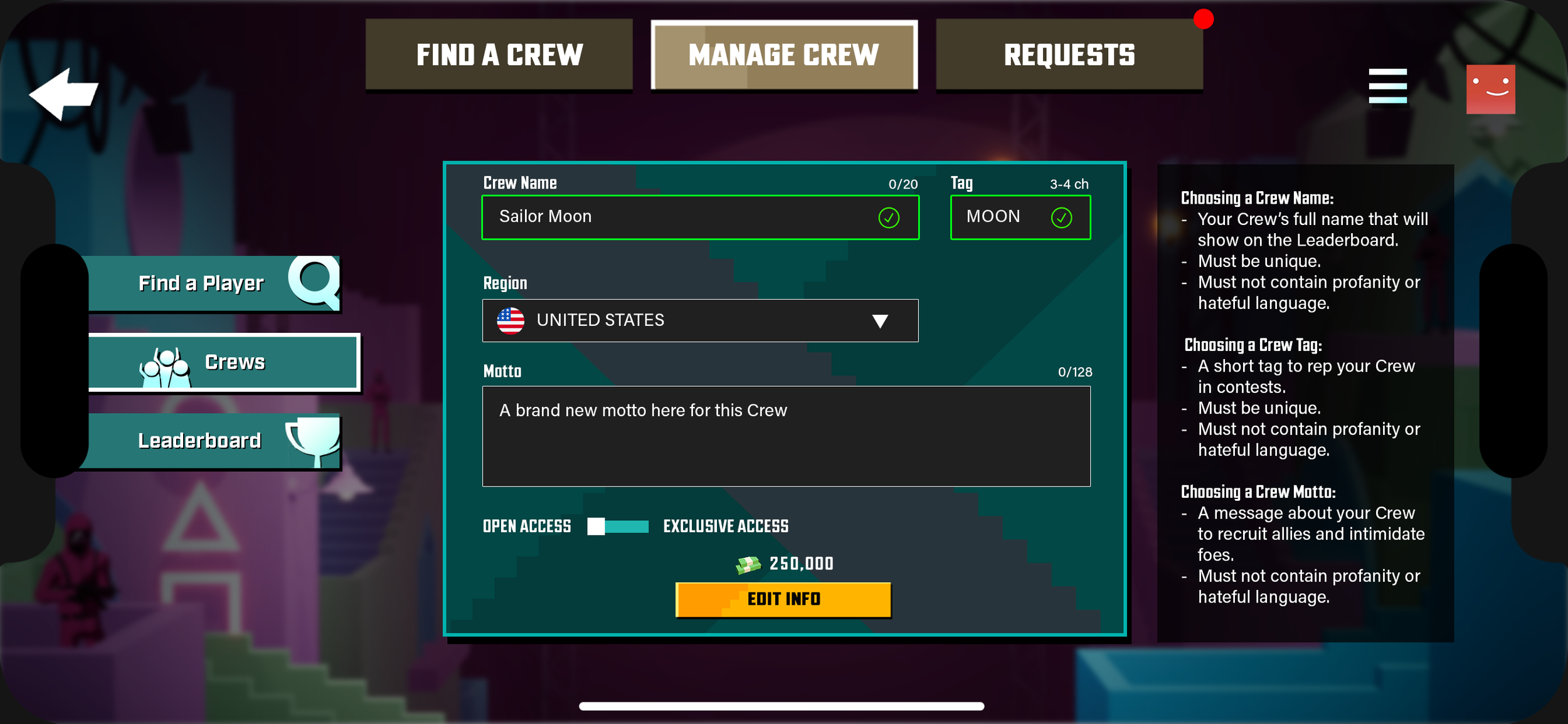
Player is Crew Leader - Edit Crew
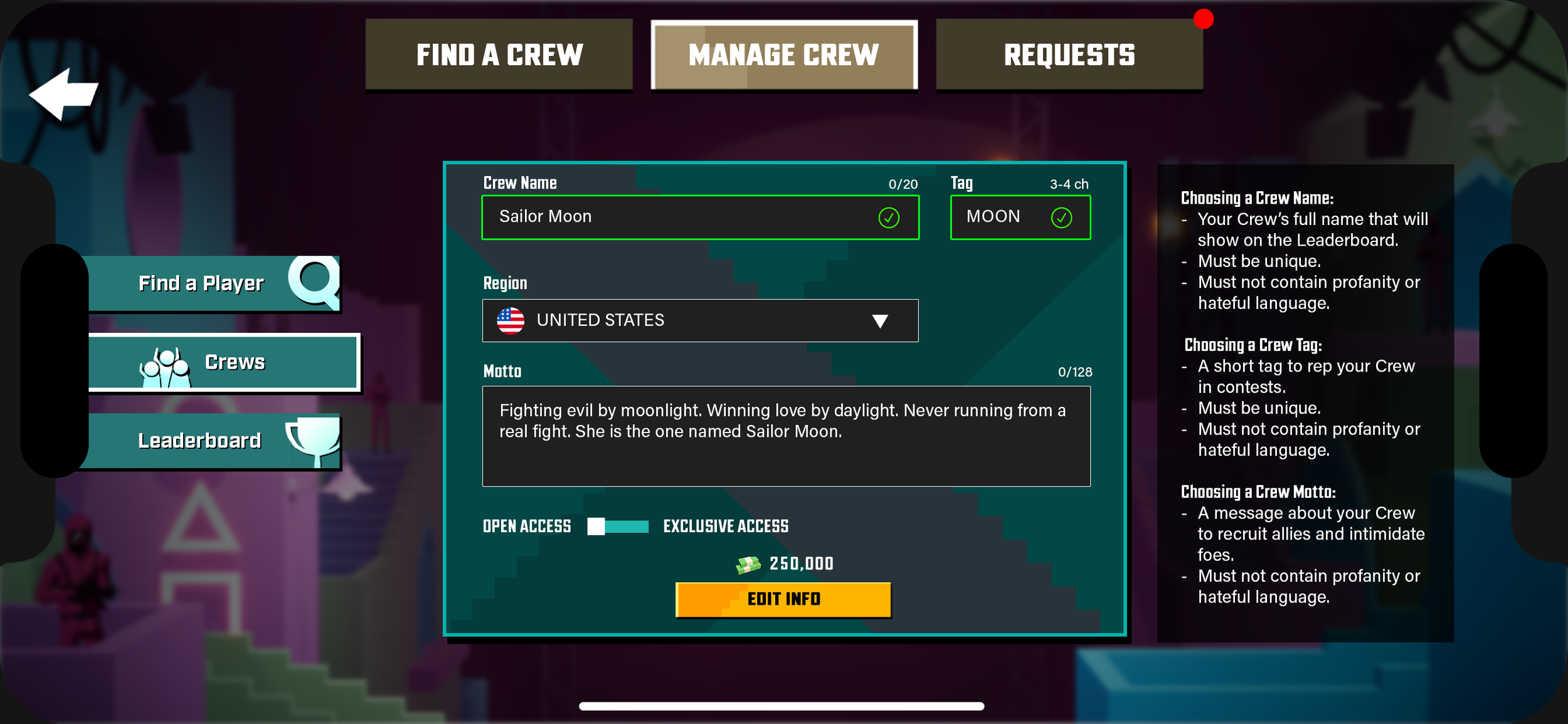
Player is Crew Leader - Manage Crew
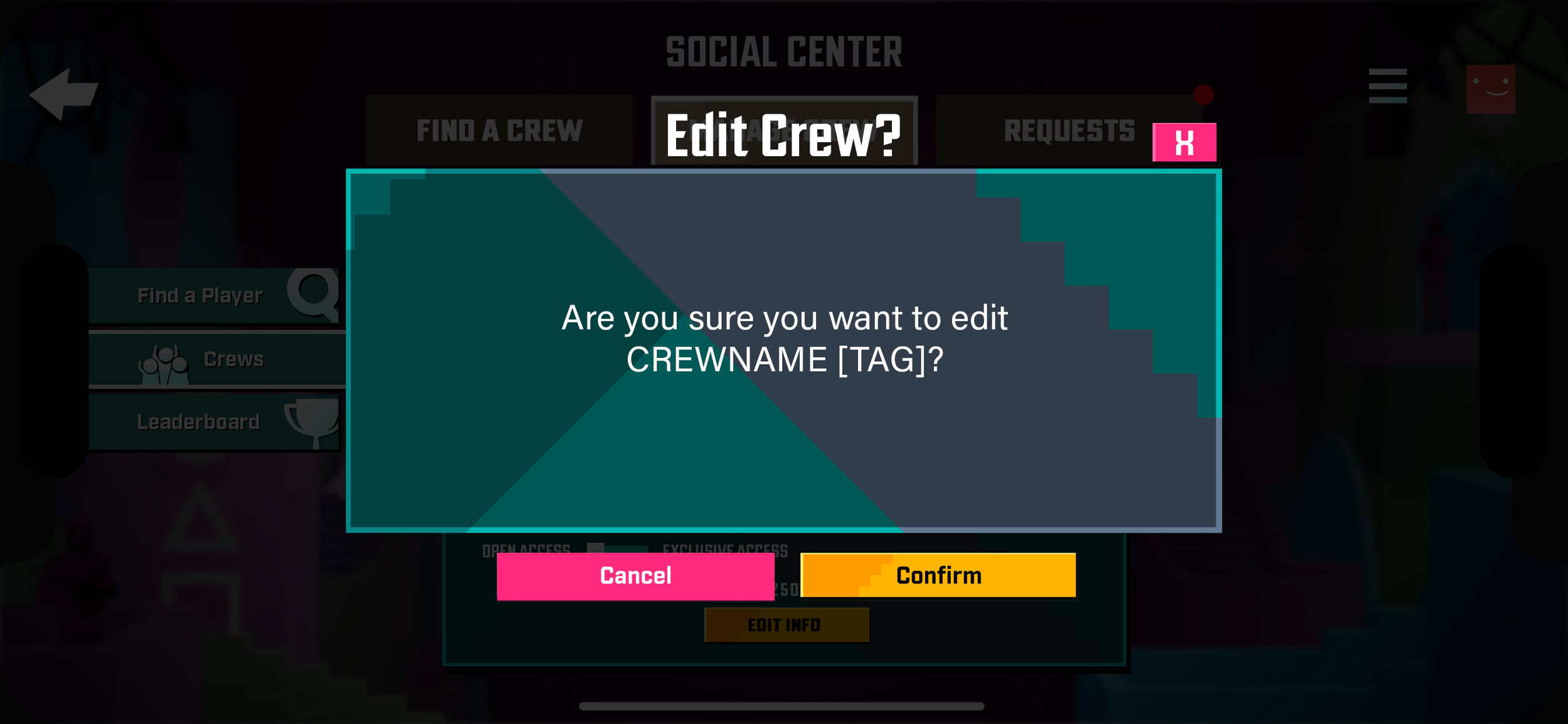
Playe
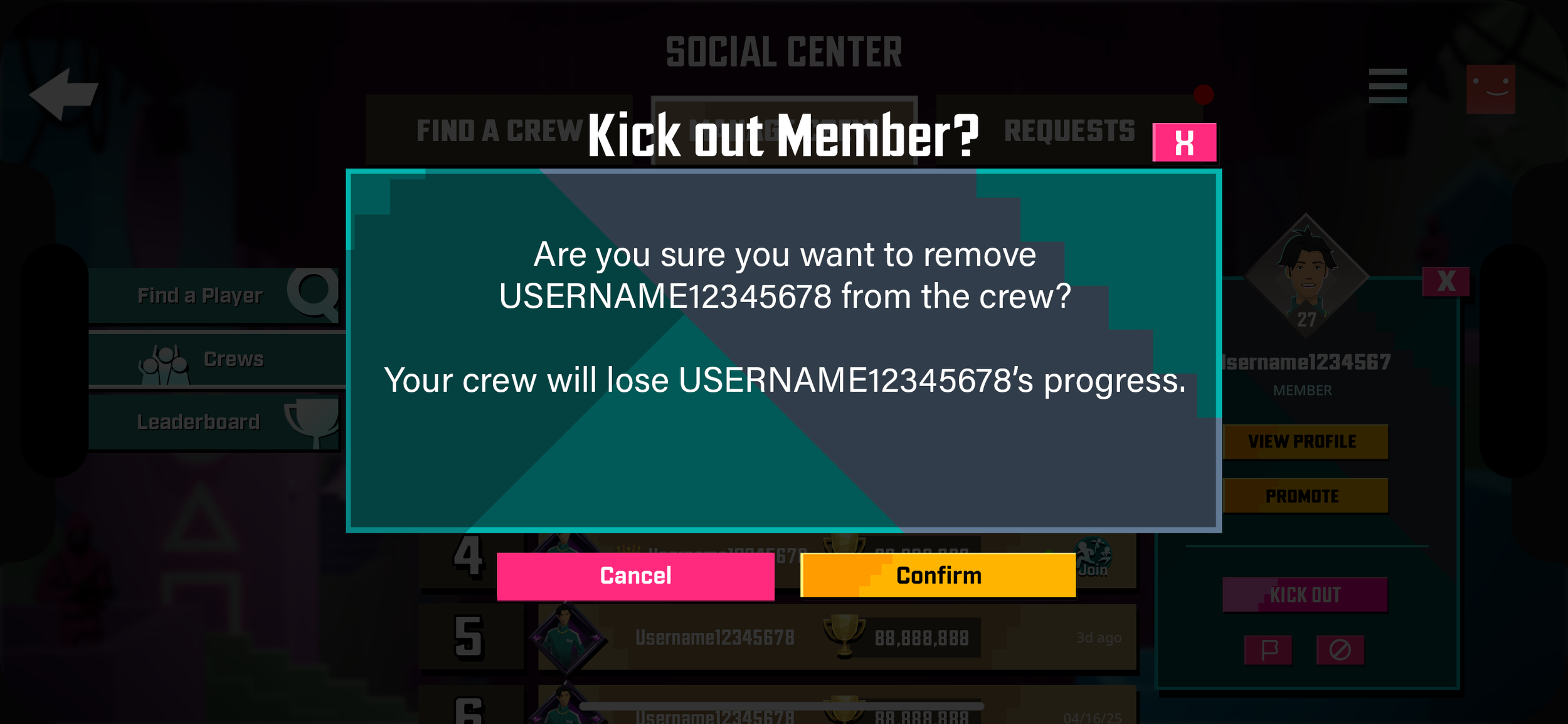
Player is Crew Leader - Kicking Out a Member
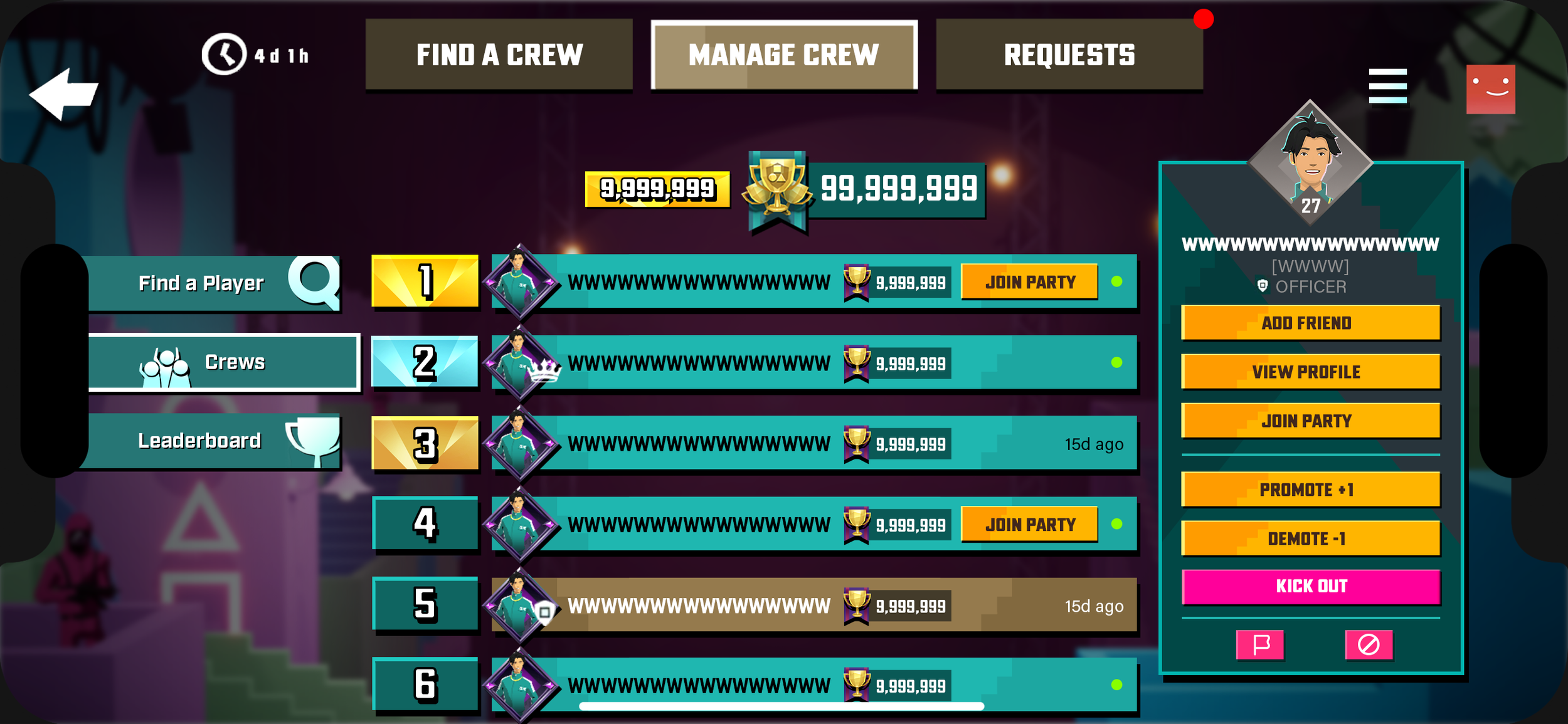
Player is Crew Leader - Promotes Officer
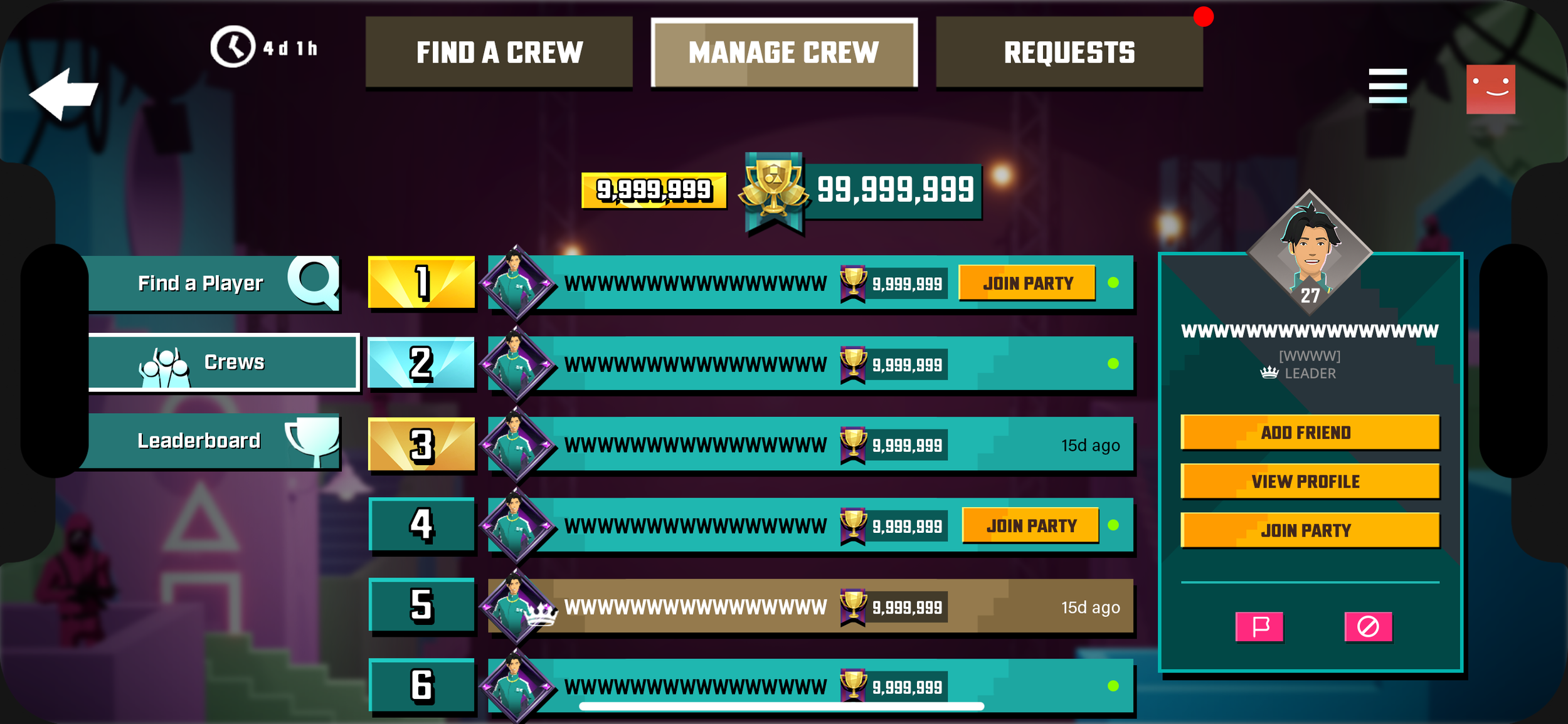
Player is Crew Leader -
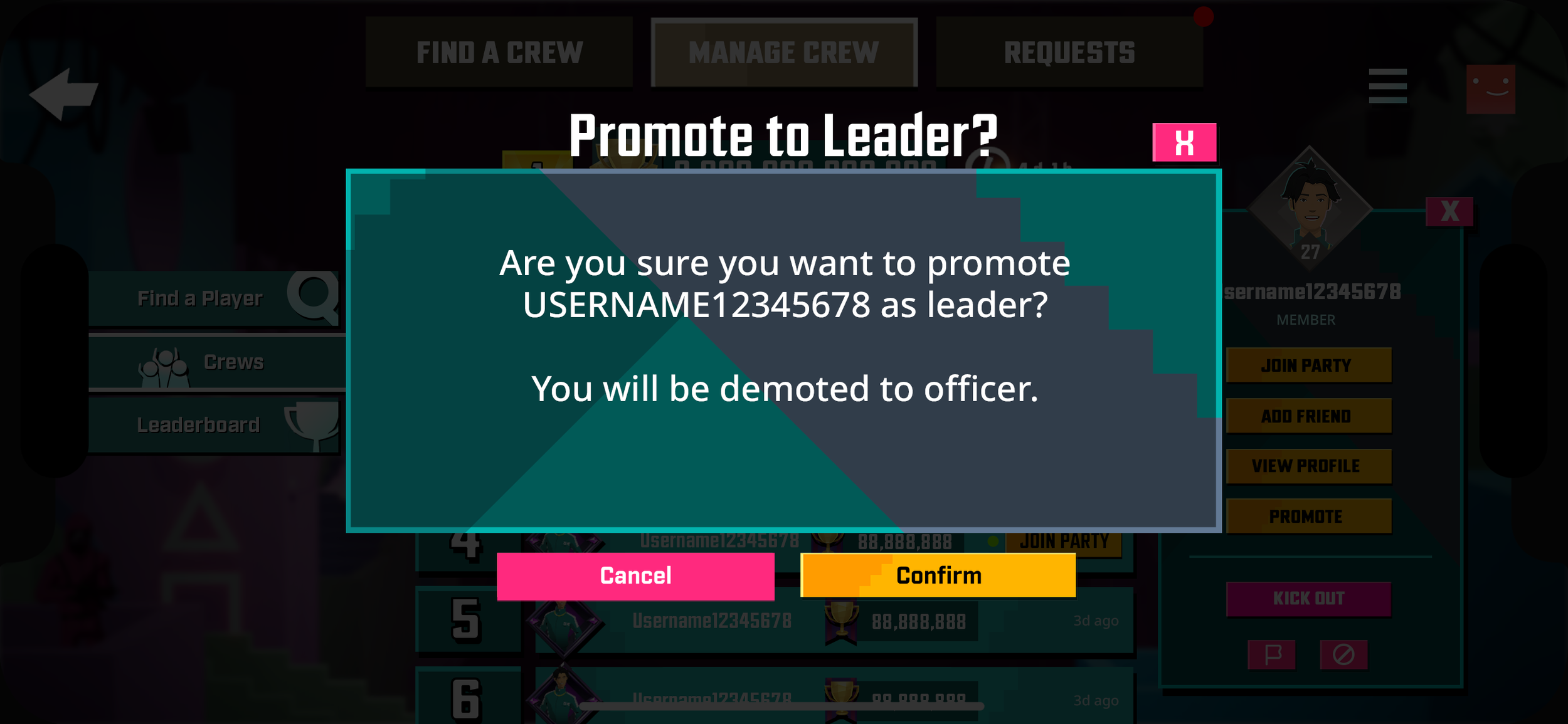
Player is Crew Leader - Promotion Confirmation
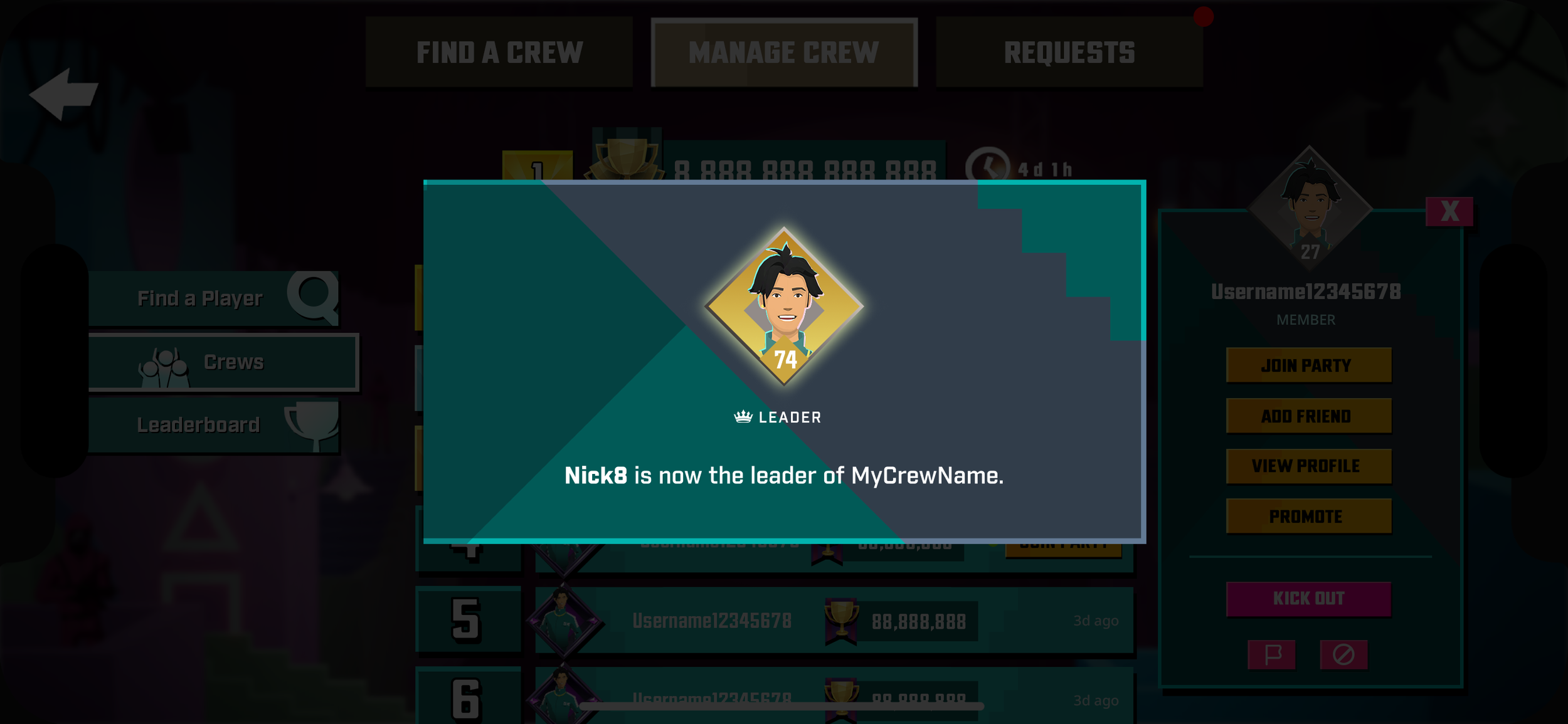
Player is Crew Leader - New Leader
Player Creates a Crew
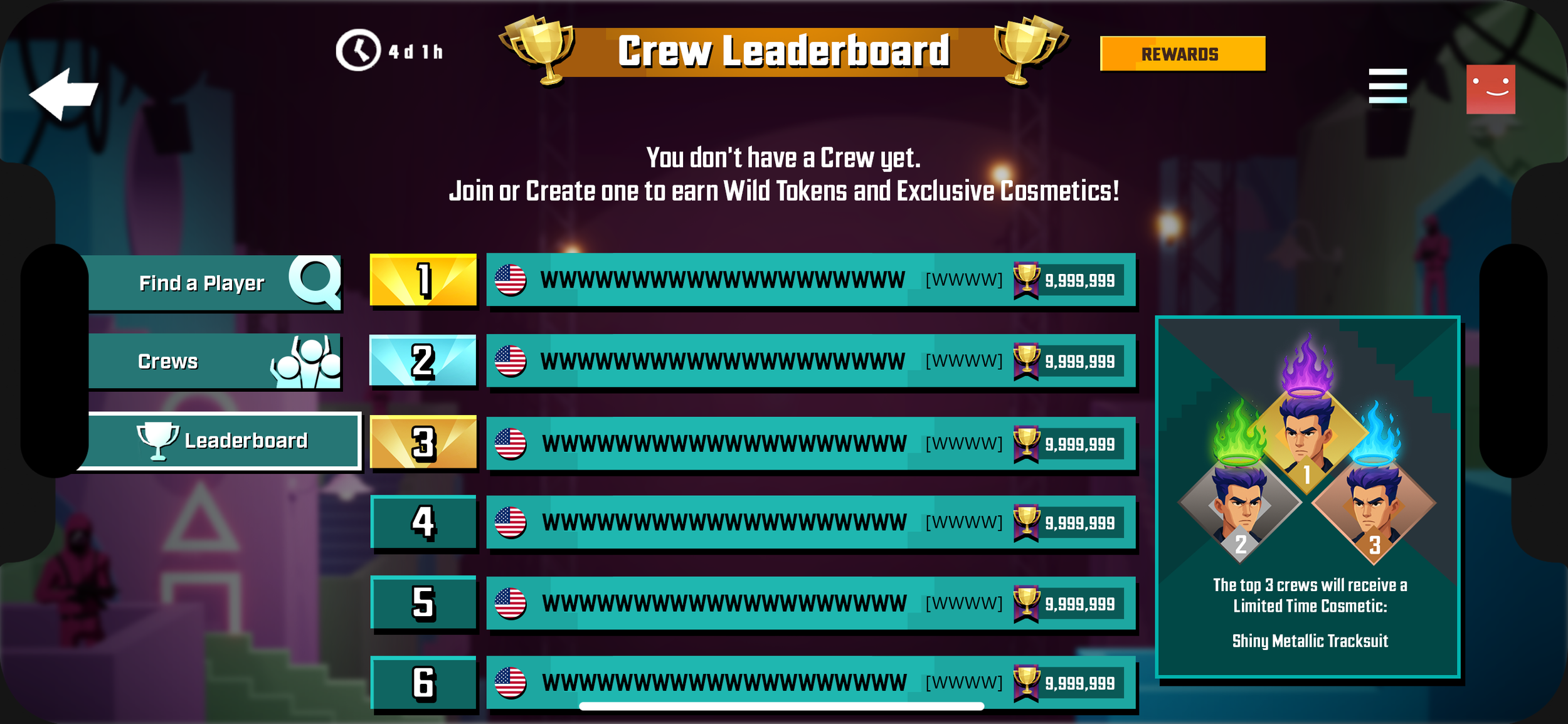
Crew Leaderboard - Leaderboard View
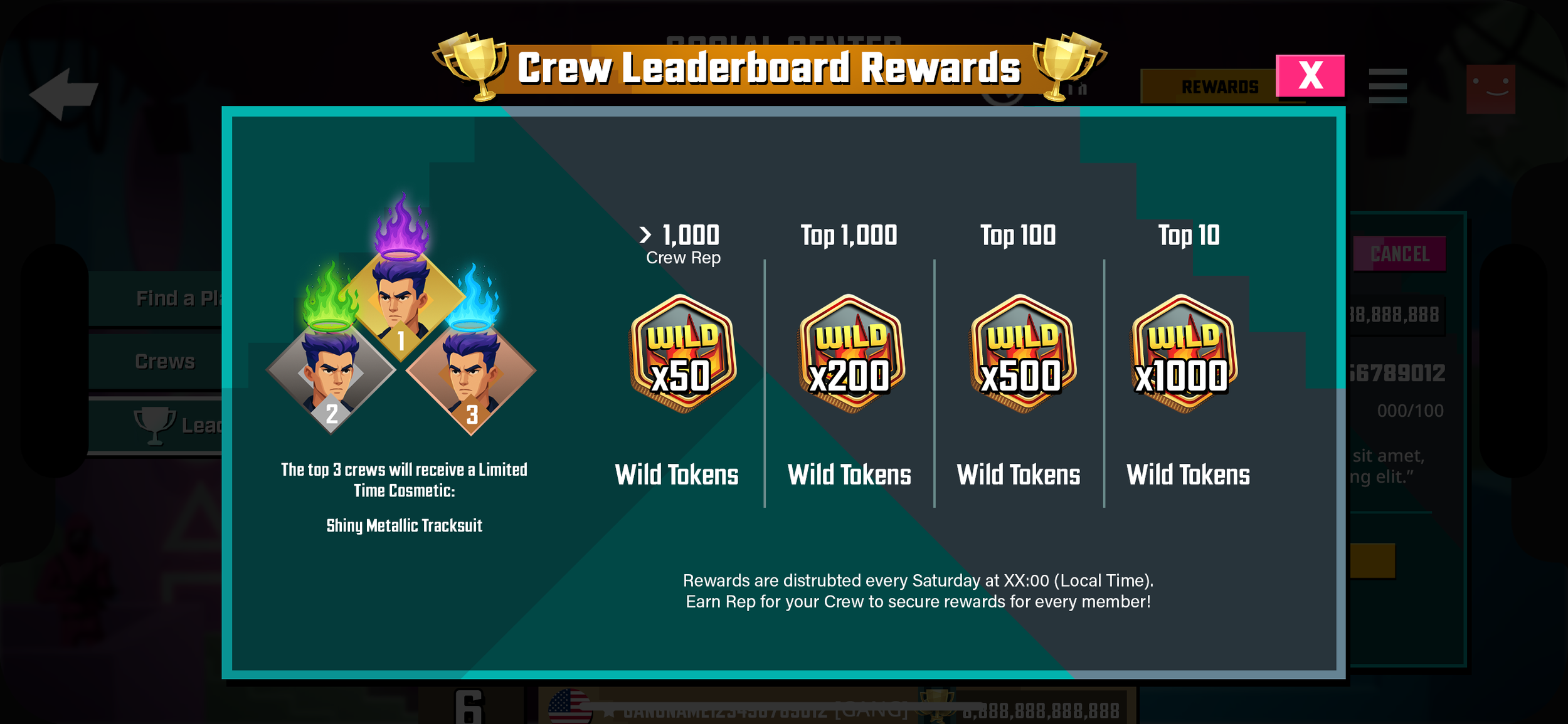
Crew Leaderboard - Rewards Pop Up
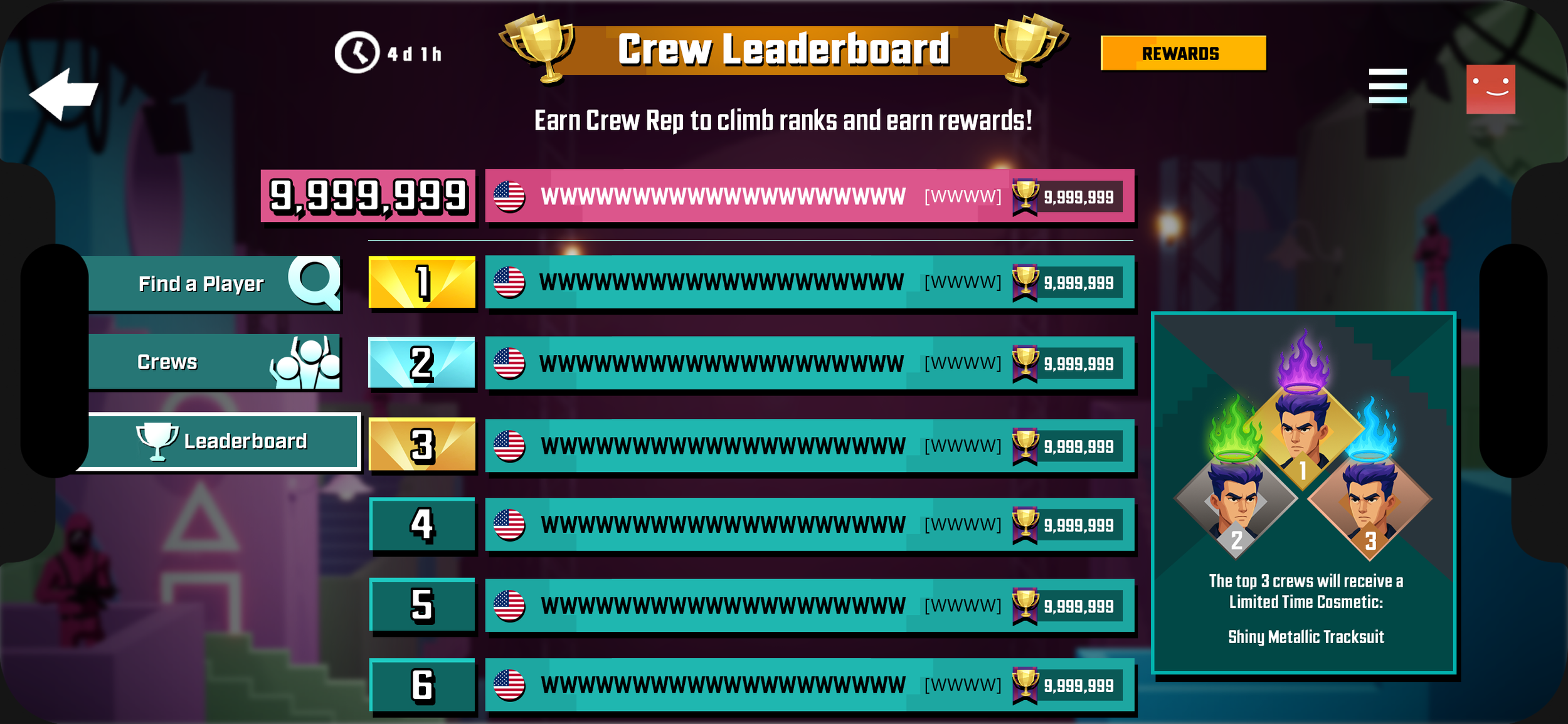
Crew Leaderboard - Crewed Player - Main

Crew Leaderboard - Crewed Player - View Other Crew

Crew Leaderboard - Crewed Player - View Other Crew's Roster

Crew Leaderboard - Crewed Player - View Your Own Crew
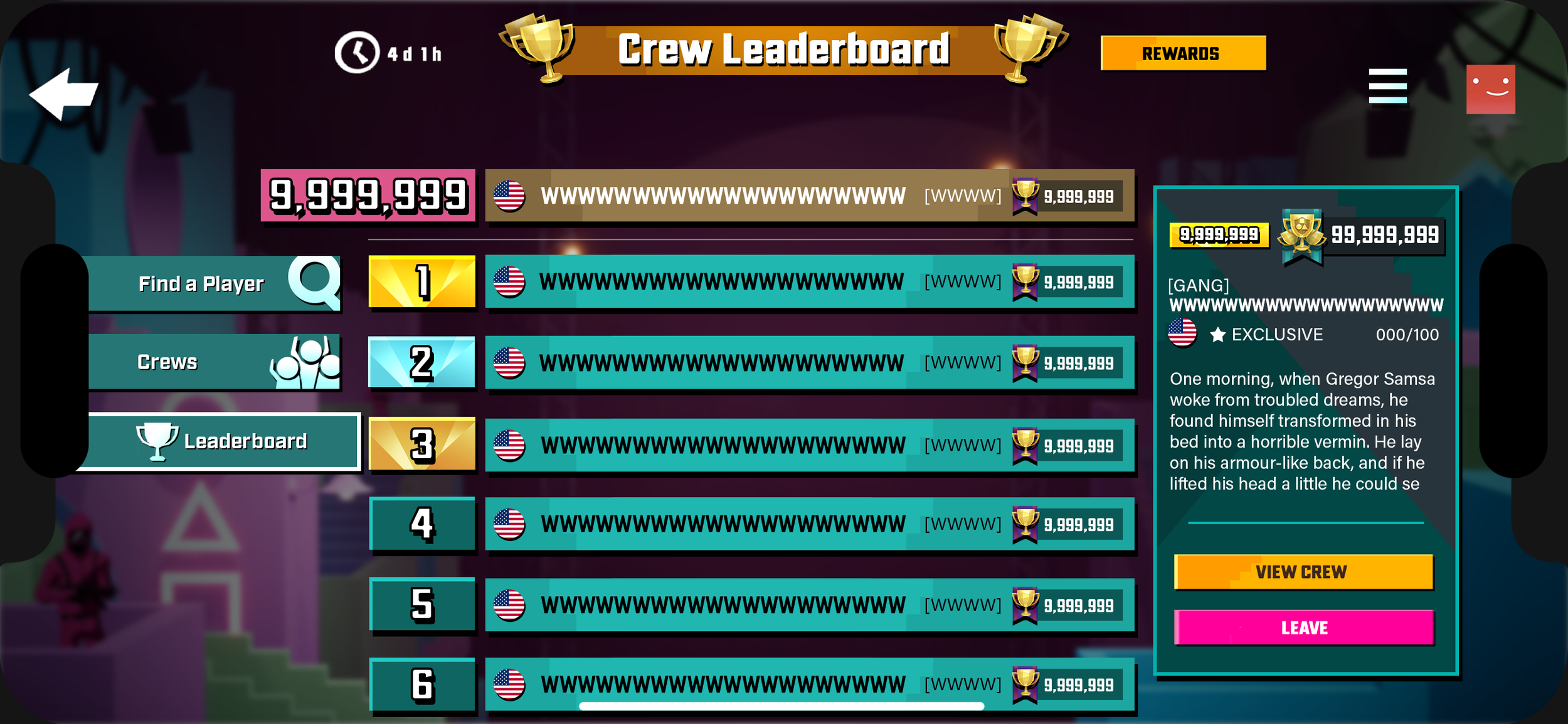
Crew Leaderboard - Crewed Player - Crew Roster
I designed Find A Player
Objective
To allow players to search for a locate other players in a parties or crews, improving social interaction and connectivity within the game, improving social interaction and connectivity within the game.
Design Process
The design for this feature was straightforward, and I followed the Crews layout to maintain consistency.
Final Design
Average Player Waiting for Approval - No Applications
Average Player Waiting for Approval - Pending Approvals
Average Player Waiting for Approval - Viewing Crew Details